✨ Summarize article with AI

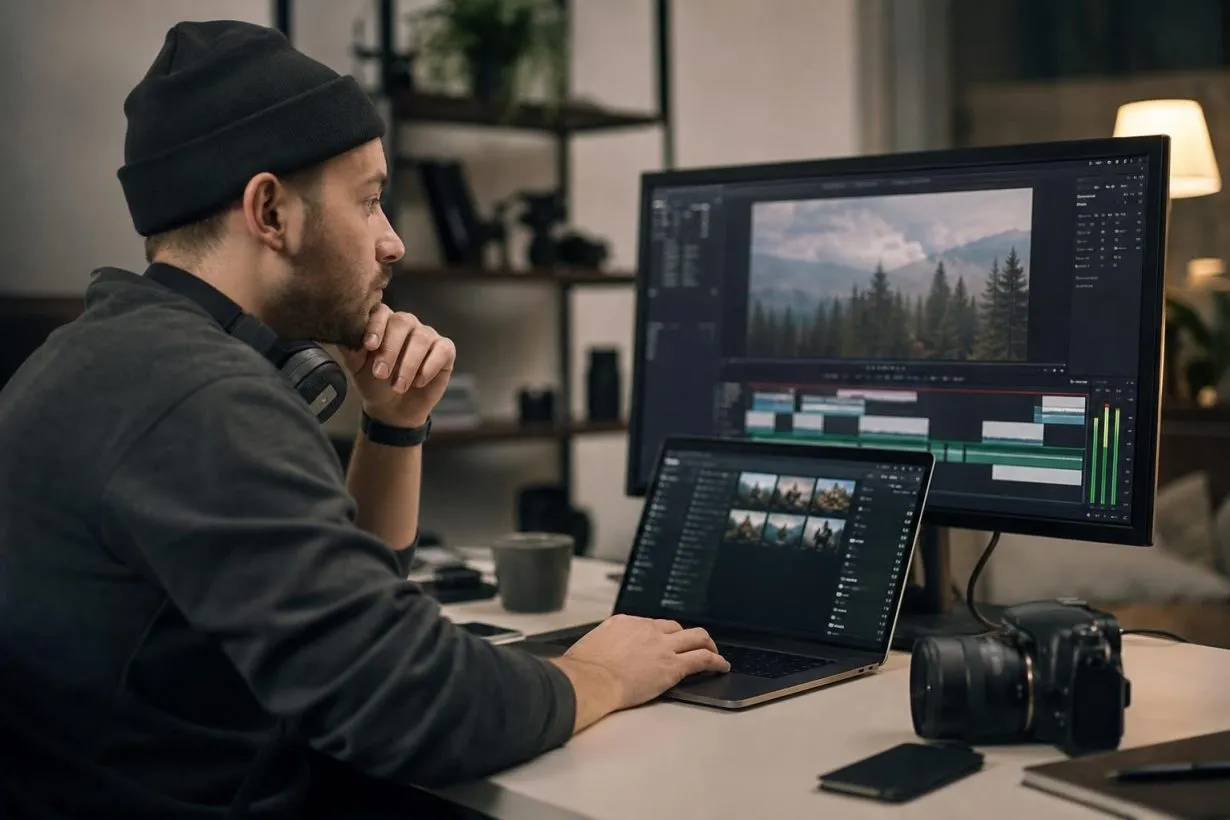
Music for a video reel is the background track synced to a short video, whether that’s an Instagram Reel, TikTok, YouTube Short, or demo reel. The track needs to fit the edit, and the license needs to fit the use. Platform music libraries are often limited to personal, non-commercial use, so business, client, and ad content usually requires separately licensed music. Choose the licensing route before you start editing, not after the client asks to boost the post.
A Reel can look great and still fail if the music gets muted, claimed, or blocked. This guide explains what music for a video reel actually means, when in-app audio is safe, and when you need a real music license. Use it to pick tracks that fit the edit and survive posting on Instagram, TikTok, YouTube Shorts, and client channels.
Who this is for: Creators, editors, social media managers, and small businesses making short video reels for social platforms, ads, or client work.
How we built this: We reviewed official guidance from Meta, TikTok, and YouTube, copyright basics from the U.S. Copyright Office, and real creator discussions from Reddit and LinkedIn.
Why it exists: To help you choose music before you edit, so you never have to replace muted audio, dispute claims, or explain a licensing problem to a client.
Music for a video reel is the soundtrack, background track, or audio bed synced to a short edited video. It can be added inside a platform like Instagram or TikTok, or baked into the video file before upload. The critical question isn’t just whether the song sounds good. It’s whether you have the right to sync that music with the video.
“Video reel” usually means one of these:
The same licensing logic applies to all of them. If you put music under moving images and publish it, you generally need platform permission, a license, public-domain material, or a valid legal exception. The U.S. Copyright Office explains that a recorded song can involve two separate copyrighted works: the musical work and the sound recording.
That permission concept is called a sync license, which means using music timed to visual images. Learn more about what a sync license covers and why it matters for video creators.
Browse royalty-free tracks built for video reels, with mood and tempo filters that match short-form editing workflows.
Music gives a Reel rhythm, emotional shorthand, and structure. It helps viewers feel the pace of the edit and can make a product demo or transformation feel intentional rather than thrown together. But the wrong track can cause muting, claims, or platform limits.
The data backs this up. Meta’s Reels ads guide found that vertical 9:16 Reels ads with audio had 34.5% lower cost per action than image ads on average. Reels ads using both music and voiceover achieved a 15-point higher positive response score than ads without sound.
For a 15-to-30-second Reel, the track often determines where the first cut lands, whether the hook feels sharp, and whether transitions feel natural. A creator editing a 22-second product Reel shouldn’t pick music after export. They should choose a track first, cut the first visual change on the beat drop, and confirm the license covers the intended use before sending anything to the client.
This is where most creators get tripped up. A track can be safe inside Instagram and still be wrong for the project.
Platform-safe music is music a platform lets you use under its specific rules, usually inside that platform only. Project-safe music is music you can use across the full project: client delivery, ads, cross-posting, monetization, and future reuse.
| Type | Best for | Main risk |
|---|---|---|
| Platform-safe | Quick personal posts on one platform | May not cover business use, ads, exports, or cross-posting |
| Project-safe | Client work, ads, branded content, multi-platform publishing | Must choose correct license tier and keep proof |
| Free music | Drafts, personal projects, low-budget content | “Free” doesn’t always mean commercial-use or Content ID-safe |
| Royalty-free | Repeatable creator and business workflows | Not automatically copyright-free or safe for every use |
If you add a track through Instagram’s music picker, that permission usually lives inside Instagram’s rules. If the same file later goes to TikTok, a client’s website, or an ad campaign, you need rights that travel with the project.
Practitioners on Reddit describe exactly this problem. One social media manager shared that they added copyrighted music through an external editor, uploaded to Facebook, and received warnings about possible posting restrictions and account penalties. The risk isn’t theoretical.
For personal Instagram Reels, the in-app music library may work if the track is available to your account and country. For business, branded, client, or ad content, the rules are different.
Meta states that its licensed music library is intended for personal, non-commercial use. Some business accounts and post types are restricted. For commercial use, Meta points business users toward Sound Collection, which offers 14,000+ royalty-free songs safe for Reels and ads.
Here’s the practical split:
If there’s any chance the Reel will become an ad later, choose ad-safe music before editing. For a deeper breakdown of Instagram music rights, read this Reels copyright guide.
Each platform has its own music deals, detection systems, and commercial-use rules. A track that works fine on Instagram might trigger a claim on YouTube.
TikTok recommends its Commercial Music Library for any post promoting a brand, product, or service. The CML contains 600,000+ pre-cleared tracks for branded content and ads. General Music Library songs are not pre-cleared for commercial content.
YouTube Shorts has its own audio library with tracks under Shorts-specific licensing. If you add a song without using the Shorts creation tools (editing it in Premiere or CapCut first, for example), the audio can face standard Content ID claims. YouTube’s Creator Music paid licenses also apply only to long-form videos, not Shorts.
The simple rule: in-app music is usually safest when you add it inside that app and keep the video on that app. If you need to export, cross-post, boost, or hand the file to a client, choose independently licensed music.
For creators who publish on YouTube regularly, understanding Content ID and monetization is worth reading.
Good music for a video reel does two jobs: it fits the creative edit and it fits the rights situation. Use this four-point check.
The first 1-3 seconds matter. Choose music with an immediate pulse, swell, or recognizable mood. For a before/after Reel, start with a soft intro for the “before,” then cut on the beat drop to reveal the “after.”
Pick a track with obvious beats or transitions. These give natural cut points for product reveals, text pop-ups, scene changes, and speed ramps.
If the Reel has voiceover, choose music that leaves room for speech. TikTok’s business guide tells advertisers to check that spoken words stay audible when music is mixed in. Instrumental tracks work better than lyric-heavy ones for tutorials, demos, and client ads.
Before you edit, confirm: Can this track be used commercially? Can it go in paid ads? Can it be cross-posted? Do you get a license certificate?
| Reel type | Good music direction |
|---|---|
| Product demo | Upbeat electronic, clean funk |
| Fitness or transformation | Energetic beat, motivational |
| Tutorial or educational | Light lofi, minimal beats |
| Luxury brand | Ambient, cinematic piano |
| Food or restaurant | Funk, jazz, playful acoustic |
| Travel or wedding | Cinematic, emotional, indie folk |
| UGC ad | Native-sounding lo-fi, simple beat |
The right license depends on the use, not the file format. Start with the use case, not the song.
| Use case | Safer music route |
|---|---|
| Personal Reel (not promotional) | In-app platform music |
| Business account Reel | Platform commercial library or licensed royalty-free |
| TikTok brand or business post | TikTok CML or separate license |
| YouTube Short | Shorts audio library or separate license |
| Client social video | Licensed royalty-free with commercial rights |
| Paid social ad | License explicitly covering digital ads |
| Cross-platform Reel | Portable commercial license |
| Demo reel or portfolio | Licensed or original music |
For creators tired of subscription fatigue (a recurring complaint in Reddit’s videography communities, where one user called monthly fees “too expensive” while looking for reliable free alternatives), a pay-once model is often simpler. Foximusic offers one-time payment, lifetime licenses with worldwide perpetual rights, Content ID-cleared tracks, and instant PDF license certificates.
The commercial tier covers monetized content, client work, and digital ads across unlimited online platforms. If the project involves broadcast, VOD, apps, games, or courses, an extended license covers those uses under a single lifetime tier. Compare one-time licensing models to see if they fit your workflow.
Review pricing and license tiers to match the right level to your use case.
A fair trade-off to know: Foximusic has a smaller catalog than the big subscription platforms, and there’s no unlimited-download subscription for the core music product. For a creator or small business that wants a clear license, no recurring fee, and proof they can keep with the project, the pay-once model makes things straightforward.
Meta’s copyright help page warns that downloading a song doesn’t automatically make it okay to post. Writing the artist name in the caption is polite, but it’s not a license. Practitioners on Reddit put it bluntly: crediting doesn’t solve licensing, and client work needs proper documentation.
The U.S. Copyright Office says there is no hard-and-fast minimum amount of music you can use without permission when permission is needed. There’s no magic number of seconds that makes any clip legal.
Royalty-free describes a licensing model where you don’t pay per use. The music is still copyrighted and governed by license terms. Learn more about royalty-free and copyright.
LinkedIn practitioners warn that trending music in platform libraries may be personal-use only. The algorithm may reward trends, but clients pay you to reduce risk, not copy risky behavior.
Using a creator account to access music for brand content doesn’t remove the underlying commercial-use issue. This workaround appears in Reddit threads regularly, and it creates more risk than it solves.
For more on avoiding these pitfalls, read these licensed music best practices for social media.
Choose the licensing route before you choose the final track. Here’s how the process works in practice.
Decide where the Reel will live. Instagram only? Multiple platforms? Paid ad later? If it’s more than one platform, lean toward a portable licensed track.
Decide whether it’s personal, commercial, or client work. If the Reel promotes a product, service, brand, or client, treat it as commercial. A LinkedIn legal practitioner put it clearly: if the content helps sell, promote, or build a business, it’s commercial.
Pick the music source. Use in-app music for simple personal posts. Use a commercial-use library or licensed royalty-free music for business or client work.
Edit with a watermarked preview. One practitioner on Reddit described using watermarked preview tracks for client approval, then purchasing the final track so all music cuts stay aligned. Foximusic supports this exact workflow with downloadable watermarked previews for mockups before purchase.
Keep music under the voice. Voiceover Reels need the music low and instrumental. Montage Reels can let the music lead. Product ads should let the offer come through clearly.
License before publishing. Get the final file (Foximusic provides uncompressed WAV downloads with full, loop, and short edit versions), replace the preview, and export.
Save proof with the project files. Keep the license certificate PDF, invoice, and usage notes alongside the exports. The client handoff test: could you send the client a folder with the final MP4, license certificate, and usage notes? If not, the music choice isn’t client-ready.
If you edit video reel music in CapCut, note that editing-app audio and platform audio have different license implications.
For personal in-app posts, possibly, if the platform provides the track to your account. For business, client, or ad content, don’t assume trending music is cleared. Use the platform’s commercial library or a separately licensed track.
Business accounts may not have access to the full licensed music library. Meta says that library is intended for personal, non-commercial use and points business users toward Sound Collection for commercial-safe audio.
No. Royalty-free describes a licensing model, not a price. A royalty-free track can still cost money and still have limits on ads, broadcast, or redistribution.
No. Credit doesn’t replace permission. If the use needs a license, the caption can’t create one.
Only if the license covers all those platforms, or if you add platform-approved music separately inside each app. For one exported file going to several channels, use music with cross-platform commercial rights.
Check whether the music came from the platform library, an external editor, or a licensed source. If you have a valid license, follow the platform’s dispute process and provide documentation. If you don’t have rights, replace the music and re-export.
Use a commercial license that covers client work, online platforms, and ads if the client might boost the post. Save the license certificate with the project files.
Use licensed or original music. A demo reel is public-facing and often used to win jobs, making it a poor place for ripped songs or unclear “no copyright” tracks.
The best time to make a music decision is before the first edit, not after the client asks to boost the post. Start with a licensed track, cut your Reel to the beat, save the license certificate with your project files, and use the same cleared audio across client, social, and ad versions.
If you want music for video reels that won’t get muted or claimed, browse Foximusic playlists organized by mood, genre, and use case. Every track is Content ID-cleared, licensed for life with a single payment, and comes with an instant PDF certificate you can hand straight to a client.
Generate production-ready text-to-video prompts instantly and get pro-level results with our free video prompt generator tool.








 English English
  Spanish
 French
 Italian
 German
 Portuguese
 Chinese
 Japanese
 Hebrew