✨ סיכום מאמר בעזרת בינה מלאכותית
כלי פוסט-פרודקשן מוזיקליים מבוססי בינה מלאכותית מתחלקים לארבע קטגוריות: גנרטורים שבונים רצועות מותאמות אישית, מפרידי גזע שמפרידים את המוזיקה, כלי ניקוי אודיו שמכינים דיאלוגים לפני התווים, ותכונות NLE שמסנכרנות מוזיקה לתמונה. גנרטורים כמו Soundraw ו-Beatoven.ai מצוינים לטיוטות ומוזיקה זמנית, אך תנאי הרישוי שלהם מעורפלים לעבודה מסחרית. הפרדת גזע (LALAL.AI, Moises) היא יכולת המוזיקה המועילה ביותר באופן מיידי עבור עורכים בתחום הבינה המלאכותית. עבור אספקה סופית בפרויקטים שמרוויחים כסף או בפרויקטים של לקוחות, מוזיקה מורשית כראוי עם זכויות מסחריות ברורות נותרה ההימור הבטוח ביותר.
העריכה נעולה. הצבע מדורג. עכשיו אתם צריכים מוזיקה שמתאימה לקשת הרגשית, עוברת את הרישיון ולא מבזבזת את התקציב. כלי בינה מלאכותית שינו את מה שאפשרי בשנת 2026, אבל הם גם יצרו אזור אפור של רישוי שיכול לעלות יותר מהזמן שהם חוסכים.
מדריך זה מכסה את כלי המוזיקה של פוסט-פרודקשן בינה מלאכותית שחשובים באמת לעורכי וידאו, מחולק לפי מה שהם עושים והיכן הם לוקים בחסר. אם אתם רוצים מבט רחב יותר על כלי בינה מלאכותית מעבר למוזיקה, יש כאן מדריך מלא... מדריך לכלי בינה מלאכותית ליוצרי וידאו ותוכן שכדאי לקרוא.
השאלה היחידה שרוב הסיכומים מתעלמים ממנה: למי הבעלים של זכויות היוצרים על שיר שנוצר על ידי בינה מלאכותית, והאם ניתן להשתמש בו באופן מסחרי ללא סיכון? שאלה זו מעצבת כל המלצה שלהלן.
כְּלִי | קָטֵגוֹרִיָה | מחיר התחלתי | הטוב ביותר עבור | בטיחות רישוי | מגבלת מפתח |
|---|---|---|---|---|---|
סאונדרו | מחולל מוזיקה של בינה מלאכותית | $11.04/חודש | בקרת אנרגיה ברמת הבר | גבוה (הוכשרה פנימית) | נגינה אינסטרומנטלית בלבד, ללא הנחיות טקסט |
Beatoven.ai | מחולל מוזיקה של בינה מלאכותית | $2.50/חודש | ניקוד מצב רוח מבוסס סצנה | גבוה | הורדות מוגבלות ברמות נמוכות יותר |
אייווה | מחולל מוזיקה של בינה מלאכותית | $11/חודש | מוזיקה קולנועית/תזמורתית | בינוני (זכויות יוצרים רק ב-Pro) | אין שירה, התוכנית הסטנדרטית מגבילה את המונטיזציה |
סונו | מחולל מוזיקה של בינה מלאכותית | $10/חודש | שירים מלאים עם שירה | נמוך-בינוני (מונחים מתפתחים) | הרמה החינמית אוסרת שימוש מסחרי |
LALAL.AI | הפרדת גבעולים | חבילת קרדיט $10 | בידוד קולי/כלי נגינה | לא רלוונטי (כלי, לא תוכן) | החיוב לכל גזע מצטבר במהירות |
משה | הפרדת גבעולים | $35/שנה | הפרדה בנייד תחילה + תרגול | לא רלוונטי | איכות חילוץ קולי חלשה יותר |
אדובי שיפור | ניקוי אודיו | כלול ב-CC | ניקוי מהיר של דיאלוגים בפרמייר | לא רלוונטי | דורש מנוי לאדובי |
אופונית | ניקוי אודיו | שכבה חינמית זמינה | פילוס אודיו של פודקאסט/קורס | לא רלוונטי | דקות חינם מוגבלות |
DaVinci Resolve | תכונות NLE AI | $295 חד פעמי | מוזיקת בינה מלאכותית מתאימה לציר הזמן | לא רלוונטי | נדרשת גרסת Studio עבור תכונות בינה מלאכותית |
Foximusic | קטלוג מורשה + בינה מלאכותית SFX | $12-150 /מסלול תשלום חד פעמי | מוזיקת רקע בטוחה ברישיון | הגבוה ביותר (בעלים של הקטלוג, אושר על ידי Content ID) | קטלוג קטן יותר מאשר שירותי מנוי |
עבור עורכי וידאו, מחולל המוזיקה הטוב ביותר מבוסס בינה מלאכותית אינו זה שמייצר את הביצועים הקוליים הריאליסטיים ביותר. עורכים זקוקים למוזיקה שנמצאת מתחת לדיאלוגים, פוגעת בקצב רגשי, עוברת בלולאה בצורה נקייה וניתנת לגזירה מבלי להישמע מוזר. ארבעת הכלים הללו נוקטים בגישה שונה.
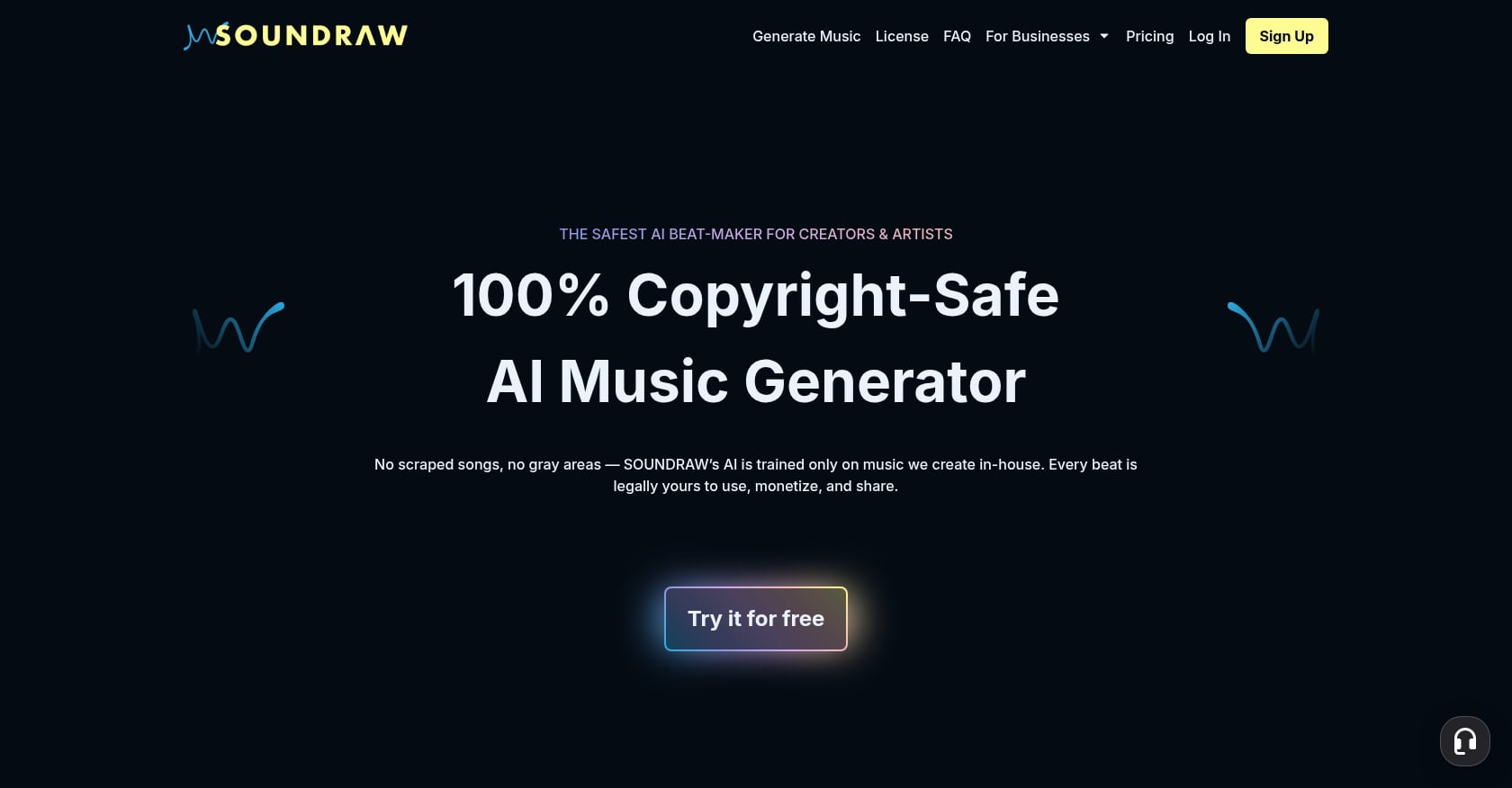
מתאים במיוחד ל: עורכי וידאו הזקוקים לשליטה מדויקת, רציפה אחר רציפה, באנרגיה של רצועות רקע.
Soundraw מדלג לחלוטין על הנחיות טקסט. במקום זאת, אתם בוחרים מצב רוח, ז'אנר, כלי נגינה ואורך, ואז מתאימים אישית את הרצועה שנוצרת סרגל אחר סרגל. גישה מבוססת פרמטרים זו מעניקה לעורכים תוצאות צפויות יותר מאשר הקלדת תיאור ותקווה לטוב.
תמחור: מתחיל ב-$11.04 לחודש, מה שהופך אותו לאחד ממחוללי המוזיקה היקרים יותר מבוססי בינה מלאכותית. החבילה השנתית עולה מעל $16 לחודש.
נקודות חוזק מרכזיות:
התאמה אישית ברמת הבר מאפשרת לך להתאים אנרגיה לסצנות ספציפיות
הכשרה על תוכן מורשה פנימי, תוך הפחתת סיכון זכויות יוצרים
מבטיח אפס תביעות זכויות יוצרים על סרטוני יוטיוב שמרוויחים רווחים
רישיון קבוע שנשאר בתוקף גם לאחר ביטול המנוי
פשרות:
רק נגינה אינסטרומנטלית. בלי שירה, נקודה.
אין ממשק טקסטואלי, מה שאומר עקומת למידה תלולה יותר עבור משתמשים חדשים
העלות החודשית מצטברת אם אתם זקוקים רק לשירים מדי פעם
עבור יוצרי YouTube ספציפית, Soundraw היא האפשרות הבטוחה ביותר לייצור בינה מלאכותית. היא מתאמנת אך ורק על תוכן מורשה ומציעה תנאים מסחריים ברורים. אבל "הבטוחה ביותר מבין יוצרי הבינה המלאכותית" עדיין לא זהה לרישוי ברזל מבעל קטלוג, הבחנה שחשובה לעבודה עם לקוחות ולשידור.
מתאים במיוחד ל: פרויקטים מונעי נרטיב הזקוקים להתקדמות רגשית בין סצנות.
Beatoven.ai תוכנן תוך מחשבה על יוצרי וידאו. תהליך העבודה שלו מתמקד ביצירת מוזיקה ללא תמלוגים המבוססת על מצב רוח, ז'אנר ודרישות סצנה. המאפיין הבולט הוא הגישה המבוססת על סצנות: סרטון עשוי להתחיל ברוגע, להיבנות לאנרגיה ולהסתיים באופן מהורהר. Beatoven מטפל בקשת הרגשית הזו בדור אחד במקום לאלץ אותך לחבר מספר רצועות שטוחות יחד.
תמחור: במחיר של $2.50 לחודש, זוהי אפשרות המוזיקה הזולה ביותר בתשלום המבוססת על בינה מלאכותית, הכוללת זכויות מסחריות.
נקודות חוזק מרכזיות:
ניקוד מצב רוח מבוסס סצנה מובנה בממשק
מצוין לתוכן חינוכי, סרטים ממותגים וניקוד פודקאסטים
זכויות מסחריות כלולות אפילו ברמה הנמוכה ביותר
פלט אינסטרומנטלי נקי המתאים לישיבה תחת דיאלוג
פשרות:
רמות נמוכות יותר מגבילות את מספר ההורדות החודשיות
איכות הפלט נמצאת צעד מאחורי Soundraw עבור עיבודים מורכבים
שליטה פחות מדויקת על סרגלים בודדים בהשוואה ל-Soundraw
המחיר הופך את Beatoven.ai לאטרקטיבי במיוחד עבור פודקאסטים ויוצרי קורסים שצריכים מוזיקה מתאימה לאווירה מבלי להשקיע כסף רב. אם אתם מפיקים מוזיקה לקורסי וידאו, שווה לבדוק לצד אפשרויות מורשות.
מתאים במיוחד ל: יוצרי סרטים שצריכים פסקול קולנועי ותזמורתי עם מבנה מוזיקלי אמיתי.
AIVA ממצבת את עצמה כמלחין וירטואלי ולא כמחולל לולאות. היא בונה רצועות עם ארכיטקטורה מוזיקלית אמיתית: פתיחה, קטעי התחלה, דינמיקה רגשית ורזולוציה. עבור עורכים שעובדים על תוכן תיעודי, סרט או נרטיבי, מודעות מבנית זו מבדילה את AIVA מכלים המייצרים פלט שטוח וחוזר על עצמו.
תמחור: התוכנית הסטנדרטית מתחילה ב-$11 לחודש (שנתי), ומאפשרת 15 הורדות לחודש. תוכנית ה-Pro, שעולה כ-49 אירו לחודש, מאפשרת 300 הורדות, ובעיקר, מעבירה את זכויות היוצרים אליך.
נקודות חוזק מרכזיות:
פלט תזמורתי וקולנועי שנשמע מורכב, לא נוצר
מבנה מוזיקלי אמיתי עם התקדמות דינמית
ייצוא MIDI לעריכה נוספת בתוכנת DAW
תוכנית המקצוענים מעניקה בעלות מלאה על זכויות יוצרים
פשרות:
זכויות היוצרים נשארות אצל AIVA בתוכנית הסטנדרטית, ומגבילות את המונטיזציה לפלטפורמות ספציפיות.
אין שירה
תמחור מקצועי גבוה ליוצרים סולו
הקפיצה בין Standard ל-Pro משמעותית הן מבחינת עלות והן מבחינת זכויות
חלוקת הרישוי היא הפרט הקריטי כאן. שימוש בתוכנית הסטנדרטית של AIVA בפרויקט מסחרי פירושו ש-AIVA שומרת על זכויות היוצרים. זה יוצר עמימות לגבי תוצרים ללקוח ועבודות שידור. אם אתם זקוקים לאיכות הקולנועית של AIVA, הקציבו תקציב ל-Pro או חפשו במקום אחר את רצועות המסירה הסופיות.
מתאים במיוחד ל: יוצרי תוכן קצרצרים הזקוקים לשירים מלאים עם שירה עבור רצועות קונספט או מדיה חברתית.
סונוֹ מייצרת שירים שלמים, כולל שירה, מהנחיות טקסט. איכות הפלט השתפרה באופן דרמטי, ועבור תוכן חברתי או הדגמות קונספט, היא יכולה להניב תוצאות משכנעות באופן מפתייע.
תמחור: $10/חודש עם רישיון מסחרי עבור רצועות שנוצרו.
נקודות חוזק מרכזיות:
שירים מלאים עם שירה מתיאורי טקסט
איטרציה מהירה עבור ג'ינגלים, פתיחים ותוכן חברתי
שימושי ליצירת קונספט לפני הזמנת מוזיקה סופית
פשרות:
הרמה החינמית אוסרת במפורש שימוש מסחרי
מוזיקה שנוצרה על ידי בינה מלאכותית נושאת סטטוס זכויות יוצרים לא ודאי שעדיין נבחן בבתי משפט.
תנאי הרישוי מתפתחים ועשויים להשתנות
הפלט יכול להישמע "בינה מלאכותית" באופן שמסיח את הדעת מתוכן וידאו מקצועי
עורכים ברדיט מרבים לדון ביכולות של סנו, אך הקונצנזוס בקרב עורכים עובדים הוא זהירות. הכלי מצוין לשירים זמניים ולחקירה יצירתית. עם זאת, שימוש בשירה שנוצרת על ידי בינה מלאכותית בתוצר מסחרי סופי, מציג סיכון שעורכים רבים ולקוחותיהם אינם חשים בנוח איתו.
לכל מי שעובד על ערוצים שמרוויחים כסף, הבנה איך עובד Content ID חיוני לפני שאתם מתחייבים לכל רצועה שנוצרה על ידי בינה מלאכותית כבחירה המוזיקלית הסופית שלכם.
הפרדת גזע (Stem separation) היא כנראה טכנולוגיית פוסט-פרודקשן מוזיקלי מבוססת בינה מלאכותית (AI) המעשית ביותר עבור עורכים עובדים כרגע. היא פותרת בעיות אמיתיות ויומיומיות: בידוד דיאלוגים ממיטת המוזיקה, חילוץ אינסטרומנטלי נקי לעריכה מחדש, הסרת שירה מרצועת הפניה. ובניגוד ליצירת בינה מלאכותית, היא לא יוצרת שאלות רישוי חדשות מכיוון שעובדים עם אודיו קיים.
מתאים במיוחד ל: חילוץ גזע באיכות הגבוהה ביותר משירה, כלי נגינה ואפקטים.
מודל Perseus של LALAL.AI מטפל בהפרדה של 10 תופים: שירה (נגינת ראש וליווי בנפרד), אלמנטים בודדים של מערכת תופים, בס, גיטרה, פסנתר, סינתיסייזר, כלי מיתר ואפקטים. הבדיקות של MusicRadar אישרו כי "איכות התוצאות שמספק LALAL.AI אינה ניתנת להכחשה. זיהוי הכלים מצוין, במיוחד כשמדובר בכלים מורחבים כמו גיטרות ופסנתרים."“
תמחור: מבוסס על אשראי, החל מ-$10 לחבילה. טווח מחירים עד $100 לחבילות גדולות יותר.
נקודות חוזק מרכזיות:
איכות מיצוי מובילה בתעשייה, במיוחד עבור גבעולי כלי נגינה
הפרדת 10 גבעולים לשליטה גרגירית
אפשרויות מנוע מרובות (Phoenix, Orion) עבור מקרי שימוש שונים
אין צורך במנוי
פשרות:
חיוב לפי גזע הוא מלכודת עלויות נסתרת. מפתח בפורום הפקה ציין כי הפרדת 4 גזע עולה בערך פי 4 מהפרדת קטעים בלבד.
תוקף הזיכויים פג, כך שקנייה בכמויות גדולות הגיונית רק אם יש לכם נפח עקבי
זמן העיבוד עולה משמעותית עם הפרדה עמוקה יותר
מקרי שימוש לאחר הייצור: בידוד דיאלוגים מקטע שמע מעורב, חילוץ ערוגות מוזיקה נקיות מקטעי רפרנס, הסרת שירה מקטע ליצירת גרסה אינסטרומנטלית והפרדת אפקטים מהמוזיקה לצורך מיקסינג עצמאי.
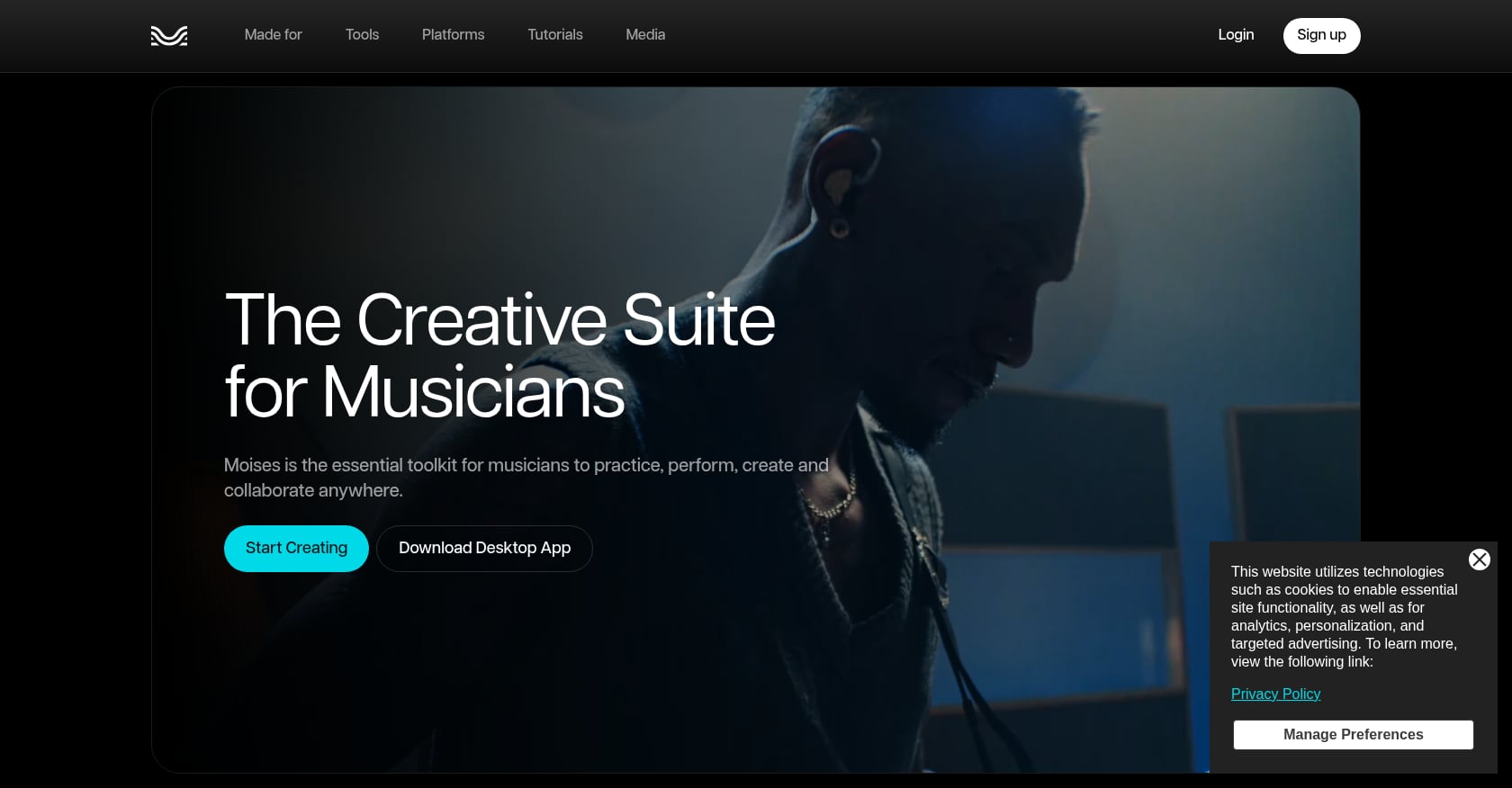
מתאים במיוחד ל: עורכים הזקוקים להפרדת גזעים עם בקרות גובה הצליל והקצב, במיוחד במובייל.
Moises משלבת הפרדת גבעולים (עד 5 גבעולים) עם זיהוי אקורדים, הזזת גובה צליל והתאמת קצב באפליקציה אחת. היא בנויה בעיקר עבור מוזיקאים מתאמנים, אך כלי הגובה והקצב הופכים אותה לשימושית באמת עבור עורכים שצריכים להתאים גבעולים שחולצו כדי שיתאימו לציר הזמן שלהם.
תמחור: $35 עד $95 לשנה עם אפליקציות iOS ואנדרואיד מקוריות.
נקודות חוזק מרכזיות:
מנוי שנתי במחיר משתלם
אפליקציות מובייל מקוריות לעבודה בדרכים
בקרות גובה וקצב מותקנות מעל הפרדה
זיהוי אקורדים שימושי להתאמת סולם בין רצועות
פשרות:
הפרדת 5 גבעולים בלבד לעומת 10 של LALAL.AI
MusicRadar מצא ש-Moises "מאכזב מהפקעת הקולית שלו, עם חפצי גרגור אופייניים המלווים קליקים ושפכים שונים מגבעולים אחרים".“
פחות מתאים לעבודות בידוד ברמה מקצועית
עיצוב המתמקד במובייל פירושו שחוויית שולחן העבודה מרגישה משנית
עבור עורכים שצריכים מדי פעם לפרק רצועה ולהתאים את הקצב שלה כדי להתאים אותה לסצנה, Moises מציע תמורה טובה. עבור עבודות חילוץ קריטיות שבהן לא ניתן להתפשר על האיכות, LALAL.AI היא הבחירה הטובה יותר למרות שעלותה גבוהה יותר.
ניקוי דיאלוגים ואודיו סביבתי לפני הנחת מוזיקה הוא שלב שמבדיל בין הפקות חובבניות להפקות מקצועיות. כלי בינה מלאכותית אלה מטפלים בעבודה הקשה ביותר.
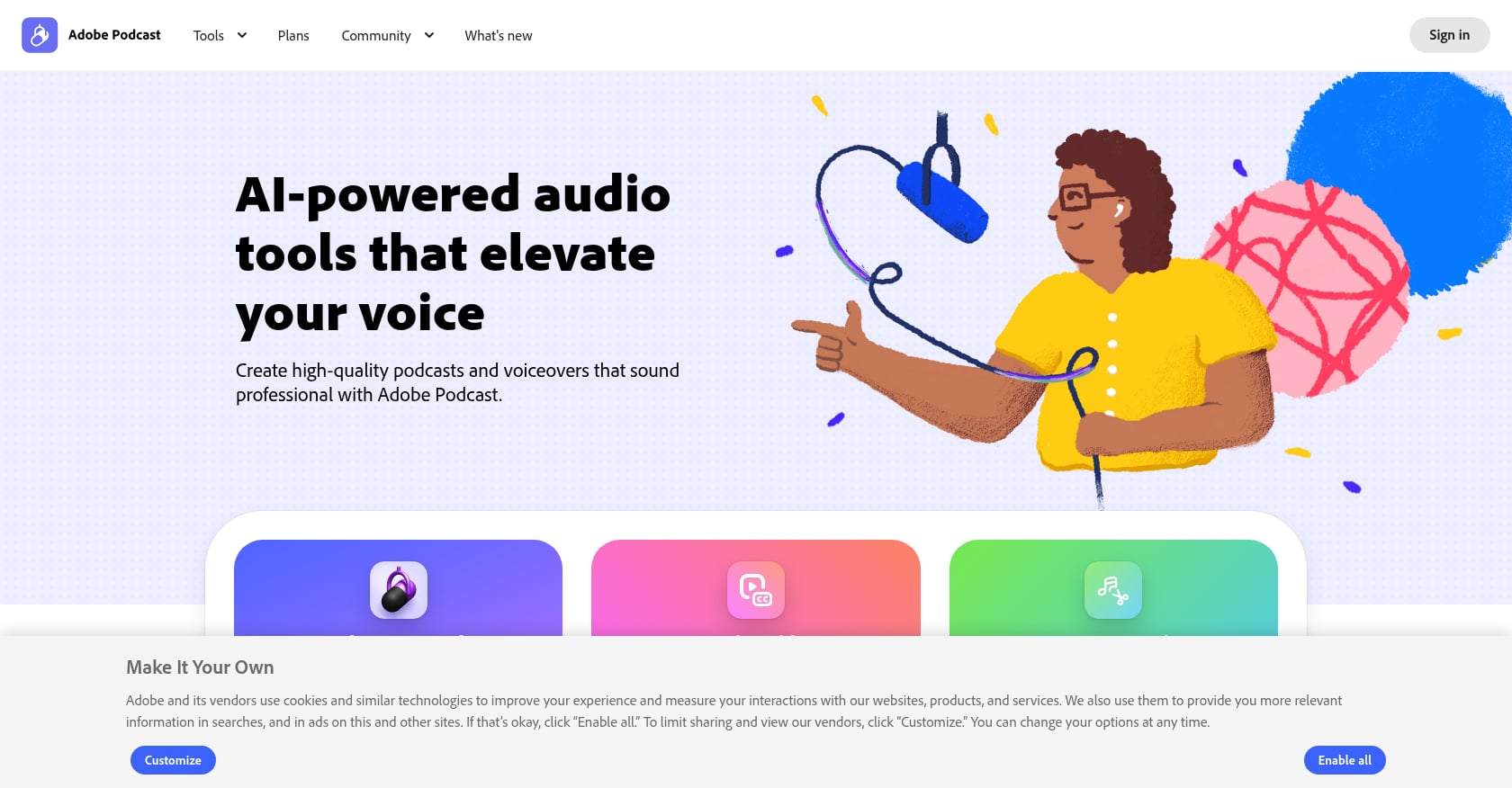
מתאים במיוחד ל: עורכים שכבר נמצאים במערכת האקולוגית של אדובי וזקוקים לניקוי מהיר של דיאלוגים.
Adobe Sensei מפעילה הסרת רעשים אוטומטית ושיפור דיבור ישירות בתוך Premiere Pro. אין צורך בייבוא-ייצוא הלוך ושוב. עבור עורכים החותכים ב-Premiere, זהו המסלול המהיר ביותר מדיאלוג גס לאודיו מוכן למוזיקה.
נקודות חוזק מרכזיות:
משולב ישירות בציר הזמן של Premiere Pro
הסרת רעשים ושיפור דיבור בלחיצה אחת
אין מנוי נוסף מעבר ל-Creative Cloud
התוצאות טובות מספיק עבור רוב התוכן באינטרנט וברשתות החברתיות
פשרות:
דורש מנוי פעיל של Adobe Creative Cloud
עיבוד כבד עלול לגרום לבעיות שמע על אודיו נקי שכבר קיים
לא חזק כמו כלים ייעודיים לאודיו פגום קשות
שליטה מוגבלת על טווחי תדרים ספציפיים
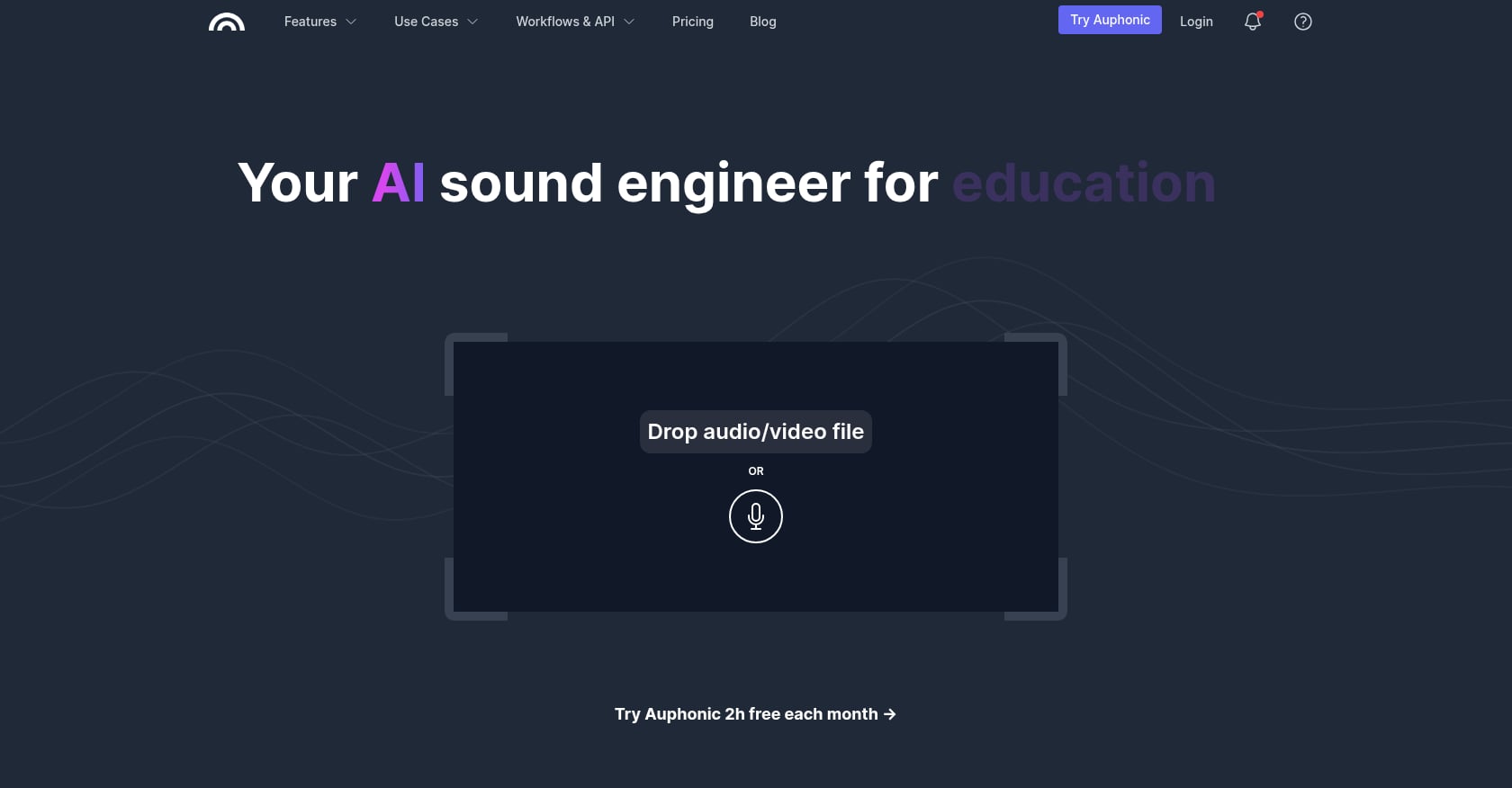
מתאים במיוחד ל: פודקאסטרים ויוצרי קורסים הזקוקים להתאמה אוטומטית של אודיו לפני הוספת מוזיקת רקע.
Auphonic מטפלת בפילוס אוטומטי, הסרת רעשים ואופטימיזציה של עוצמת קול בעיבוד יחיד. היא פופולרית במיוחד בקרב פודקאסטרים משום שהיא מכוונת אוטומטית לתקני עוצמת קול בשידור.
נקודות חוזק מרכזיות:
נרמול עוצמה אוטומטי לתקני שידור
עיבוד רב-ערוצי עבור מופעים עם מספר רמקולים
שכבה חינמית למשתמשים בנפח נמוך
גישת API עבור זרימות עבודה אוטומטיות
פשרות:
הרמה החינמית מוגבלת לשעתיים של אודיו בחודש
לא מיועד למיקס או מאסטרינג מוזיקלי מורכב
העיבוד מתרחש בענן, ודורש העלאות
פחות שימושי לעורכי וידאו שצריכים תצוגה מקדימה בזמן אמת
עבור פודקאסטרים הזקוקים לאיכות שמע עקבית לפני הוספת מוזיקת פתיחה או רקע, Auphonic הוא פרקטי ובמחיר סביר. אם אתם מחפשים אפקטים קוליים בחינם לשלב לצד האודיו המנוקה שלך, זהו חלק נפרד אך קשור מתהליך העבודה.
חלק מיכולות הפוסט-פרודקשן המוזיקליות השימושיות ביותר של בינה מלאכותית אינן כלים עצמאיים כלל. הן תכונות המובנות בתוכנת העריכה שכבר אתם משתמשים בהן.
מתאים במיוחד ל: עורכים שרוצים התאמת מוזיקה לתמונה באמצעות בינה מלאכותית מבלי לצאת מה-NLE שלהם.
דיון ברדיט באתר r/editors הדגיש את עורך המוזיקה הבינה המלאכותית של DaVinci Resolve, שמתאים אוטומטית את המוזיקה לתזמון ולאנרגיה של כל סרטון. Resolve Studio (רכישה חד פעמית של $295) כולל תכונות אודיו המופעלות על ידי בינה מלאכותית המתחרות בכלים ייעודיים במחיר נמוך מהעלות השוטפת.
נקודות חוזק מרכזיות:
רכישה חד פעמית, ללא מנוי
מוזיקת בינה מלאכותית מתאימה ישירות לציר הזמן
חבילת האודיו של Fairlight מספקת מיקס מקצועי לצד תכונות בינה מלאכותית
מחיר ה-$295 כולל הכל, ללא שערי פיצ'ר או שכבות.
פשרות:
תכונות מוזיקה מבוססות בינה מלאכותית דורשות את גרסת הסטודיו בתשלום (בגרסה החינמית חסרות אותן).
עקומת למידה תלולה יותר מאשר Premiere Pro עבור עורכים שעוברים בין מערכות אקולוגיות
תכונות בינה מלאכותית חדשות יותר ופחות מעודנות מכלים ייעודיים כמו Soundraw
לא יוצר מוזיקה, רק מטפל ברצועות קיימות
כפי שאמר אחד העורכים, אם עדיין אין לכם את גרסת $295 Studio של DaVinci Resolve, אתם מפספסים את אחת העסקאות הטובות ביותר בעולם הפוסט-פרודקשן. עבור צוותים שעובדים לאורך תקופה מלאה... זרימת עבודה לאחר הייצור, החזקת כלי מוזיקה מבוססי בינה מלאכותית בתוך ה-NLE מבטלת את הצורך בייצוא הלוך ושוב.
מתאים במיוחד ל: התאמות מהירות למוזיקה ופתרון תביעות Content ID.
לוח הצלילים הבסיסי של Premiere Pro כולל הפעלה אוטומטית של צלילים שמנמיכים אוטומטית את עוצמת הקול של המוזיקה כאשר מזוהה דיאלוג. זה לא ראוותני, אבל זה חוסך זמן אמת בכל פרויקט שמשלב דיבור ומוזיקה.
יוטיוב גם בודקת כלי להחלפת מוזיקה המופעל על ידי בינה מלאכותית, המאפשר ליוצרים להחליף מוזיקה שתבעה עליה תביעה בטראק אינסטרומנטלי שנוצר ללא תמלוגים ישירות בפלטפורמה. הרעיון הוא לפתור תביעות Content ID מבלי להסיר תוכן. אך כפי שציינו משקיפים בתעשייה, זה מעלה שאלות לגבי נתוני האימון שבהם השתמשה יוטיוב והאם יוצרים בסופו של דבר יזדקקו פחות ופחות למוזיקה של צד שלישי.
נקודות חוזק מרכזיות:
הרחקה אוטומטית חוסכת פריימים ידניים בכל קטע של דיאלוג מעל מוזיקה
כלי ההחלפה של יוטיוב יכול לפתור תביעות ללא עריכה מחדש
שתי התכונות פועלות בתוך כלים שכבר משתמשים בהם עורכים
פשרות:
אלגוריתמים של התחמקות אוטומטית מופעלים לעיתים על אודיו שאינו דיבור
הכלי של יוטיוב עדיין נמצא בבדיקות ואינו זמין באופן נרחב
רצועות חלופיות שנוצרו הן גנריות ולא יתאימו לכוונת הקריאייטיב המקורית
הסתמכות על מוזיקה שנוצרה על ידי פלטפורמה יוצרת תלות בתנאי הפלטפורמה הזו
הנה החלק שרוב סיכומי הפוסט-פרודקשן של מוזיקה בתחום הבינה המלאכותית מדלגים עליו לחלוטין: למי באמת הבעלים של המוזיקה שהכלים האלה מייצרים, ומה קורה כאשר תנאי הרישיון משתנים?
יוטיוב לא אוסר על מוזיקה שנוצרה על ידי בינה מלאכותית, אך מתייחס אליה כתוכן בסיכון גבוה. נכון לתחילת 2026, רוב הרצועות שנוצרו על ידי בינה מלאכותית אינן רשומות במסד הנתונים של Content ID, כך שהעלאות בדרך כלל אינן מקבלות תביעה. זה נשמע כמו חדשות טובות עד שלא חושבים על זה אחרת.
אם אף אחד לא מחזיק בבירור בזכויות היוצרים על טראק שנוצר על ידי בינה מלאכותית, אף אחד לא יכול להעניק לך רישיון בוודאות. זוהי הבעיה הבסיסית. היעדר תביעת Content ID לא אומר שיש לך זכויות ברורות. זה אומר שהמערכת עדיין לא השיגה את הפער.
זה חשוב יותר עבור יוצרים מסוימים מאשר עבור אחרים. ערוץ יוטיוב אישי המשתמש במוזיקה מבוססת בינה מלאכותית עבור ולוגים כרוך בסיכון מינימלי. סוכנות שמספקת סרטון ממותג ללקוח, יוצר סרטים שמגיש לפסטיבלים, או חברת שידור שמעניקה רישיון לתוכן, זרימות עבודה אלה דורשות זכויות ברורות וניתנות לאכיפה שמחוללי בינה מלאכותית אינם יכולים להבטיח כרגע.
יוצרים רבים מניחים שמוזיקה ללא תמלוגים לא תפעיל את Content ID. זו טעות. מוזיקה ללא תמלוגים פירושה שאינך משלם תמלוגים מתמשכים לאחר הרישיון הראשוני. זה לא אומר דבר על האם הרצועה רשומה במערכות Content ID. הבנת ה... המכניקה המלאה של Content ID מונע הפתעות יקרות.
מבט מעמיק יותר על מה שונה סוגי רישוי מוזיקה למעשה, זה יכול לחסוך שעות של בלבול ולהגן על ההכנסות שלך.
התשובה הכנה לפוסט-פרודקשן של מוזיקת בינה מלאכותית בשנת 2026 היא לשלב כלים המבוססים על סבילות לסיכון. יוצרי בינה מלאכותית מצטיינים בייחודיות ובהתאמה אישית. קטלוגים מורשים מצטיינים באיכות עקבית, בהירות משפטית ומגוון. יוצרים רבים משתמשים בבינה מלאכותית עבור יצירות קונספט מותאמות אישית ומוזיקה גסה, ולאחר מכן עוברים למוזיקה מורשית כראוי לקראת המסירה הסופית.
עבור פרויקטים מסחריים, עבודות לקוחות וערוצים שמרוויחים כסף, הדרך הבטוחה ביותר היא מוזיקה מבעל קטלוג עם זכויות מסחריות ברורות. כלי בינה מלאכותית משלימים את הבסיס הזה באמצעות הפרדת קטעי שמע, ניקוי אודיו והרחקה אוטומטית במקום החלפתם.
אם אתה צריך מוזיקת רקע לסרטונים שאושר למונטיזציה ולא יפעיל תביעות Content ID, מסלול ברישיון חד-פעמי עם זכויות מתועדות מבטל לחלוטין את אי הוודאות.
ההחלטה תלויה במה שאתה באמת צריך:
בחרו מחולל בינה מלאכותית אם:
אתם יוצרים תוכן אישי עם סיכון מסחרי נמוך
אתה צריך שיר ייחודי שאין לאף אחד אחר
אתה מתכנן או כותב מוזיקת קונספט זמנית לפני בחירת המוזיקה הסופית
התקציב צפוף ואתה צריך משהו מיידי
בחרו הפרדת גזע אם:
אתה צריך לבודד דיאלוג מהקלטה מעורבת
אתה עורך מחדש מוזיקה קיימת כדי שתתאים לתזמון החדש
אתה רוצה להסיר שירה מרצועת הפניה
אתה בונה עיצוב סאונד מאלמנטים שחולצו
בחרו מוזיקה מורשית אם:
הפרויקט הוא מסחרי, פונה ללקוחות או משודר
אתה צריך זכויות מתועדות ותעודת רישיון
התוכן יופק רווחים ביוטיוב או בפלטפורמות חברתיות
אתם רוצים להימנע מכל אי ודאות בנוגע לרישוי עתידי
השוואה בין עלות רישיונות חד פעמיים לעומת מנויים מגלה לעתים קרובות שמודלים של תשלום חד פעמי עולים פחות לאורך זמן, במיוחד עבור יוצרים שאינם זקוקים למאות רצועות חדשות מדי חודש.
יוטיוב מאפשר מוזיקה שנוצרה על ידי בינה מלאכותית, אך סטטוס זכויות היוצרים אינו ודאי. רוב כלי המוזיקה של בינה מלאכותית מעניקים רישיונות מסחריים דרך הרמות בתשלום שלהם, בעוד שרמות חינמיות בפלטפורמות כמו AIVA ו-Suno אוסרות במפורש שימוש מסחרי. הסיכון אינו האם יוטיוב מתירה זאת. הסיכון הוא האם הרישיון יחזיק מעמד אם חוק זכויות היוצרים סביב תוכן שנוצר על ידי בינה מלאכותית ישתנה.
נכון לעכשיו, רוב הרצועות שנוצרות על ידי בינה מלאכותית אינן רשומות במאגרי מידע של Content ID, ולכן בדרך כלל הן אינן מפעילות תביעות. מצב זה עשוי להשתנות ככל שחברות מוזיקה מבוססות בינה מלאכותית ירשמו את הקטלוגים שלהן או כאשר סכסוכי נתוני אימון יובילו לרישומים חדשים. היעדר תביעה היום אינו מבטיח היעדר תביעה מחר.
מוזיקה שנוצרת על ידי בינה מלאכותית נוצרת על ידי אלגוריתמים וייתכן שבעלות על זכויות היוצרים שלה אינה ודאית. מוזיקה ללא תמלוגים היא מודל רישוי (מעשה ידי אדם או מעשה ידי בינה מלאכותית) שבו משלמים פעם אחת ואינם חייבים תמלוגים מתמשכים. שני המושגים אינם סותרים זה את זה, אך הם עוסקים בשאלות שונות. יצירת בינה מלאכותית עוסקת באופן שבו המוזיקה נוצרה. מוזיקה ללא תמלוגים עוסקת באופן שבו משלמים עליה. פירוט מלא של דמי הרישוי לפי מקרה שימוש מכסה זאת בפירוט.
כן, ברוב המקרים. לכל פלטפורמת מוזיקה מבוססת בינה מלאכותית יש תנאי שירות משלה, המשמשים כרישיון שלך. רמות חינמיות מגבילות כמעט באופן אוניברסלי את השימוש המסחרי. אפילו רמות בתשלום משתנות באופן משמעותי בזכויות שהן מעניקות בפועל. קרא את התנאים הספציפיים לפני השימוש בכל רצועה שנוצרה על ידי בינה מלאכותית בפרויקט מסחרי.
Beatoven.ai במחיר של $2.50 לחודש היא האפשרות הזולה ביותר בתשלום עם זכויות מסחריות למוזיקה אינסטרומנטלית. עבור שירים עם שירה, Suno במחיר של $10 לחודש היא נקודת הכניסה הזולה ביותר. עבור עורכים הזקוקים למוזיקה רק מדי פעם, רצועה ברישיון חד פעמי מקטלוג כמו רישוי תשלום חד פעמי של Foximusic יכול להיות חסכוני יותר מאשר שמירה על מנויים חודשיים.
כן. LALAL.AI מציע את החילוץ האיכותי ביותר עם הפרדה של עד 10 גבעולים, בעוד ש-Moises מספק אפשרות משתלמת יותר עם הפרדה של 5 גבעולים בתוספת בקרות גובה צליל וקצב. שני הכלים מטפלים במשימת הפוסט-פרודקשן הנפוצה של בידוד דיאלוג ממצע המוזיקה, אם כי התוצאות תלויות במידה רבה באיכות ובמורכבות של מקור השמע.
זה משתנה בהתאם לפלטפורמה. Soundraw מציעה רישיון קבוע ששורד גם לאחר ביטול. התוכנית הסטנדרטית של AIVA מגבילה את השימוש לפלטפורמות ספציפיות ושומרת על זכויות היוצרים. תנאי Suno עדיין מתפתחים. יש לוודא תמיד האם הרישיון שלכם קבוע או קשור למנוי פעיל. לשם השוואה, הנה מבט על... כמה זמן רישיונות מוזיקה נמשכים על פני מודלים שונים.
כלי פוסט-פרודקשן מוזיקליים מבוססי בינה מלאכותית שיפרו משמעותית את המהירות והגמישות של ניקוד פרויקטים. הפרדת קטעי שמע, ניקוי אודיו ו-autoducking פותרים בעיות אמיתיות מדי יום. יצירת מוזיקה מבוססת בינה מלאכותית שימושית לפרויקטים קונספטואליים ופרויקטים אישיים. אבל עבור אספקה מסחרית, פער הרישוי נותר פתוח לרווחה.
אם אתם זקוקים למוזיקת רקע שאושרה למונטיזציה, שלא תפעיל תביעות Content ID ואינה דורשת מנוי חודשי, עיין בקטלוג של Foximusic. תשלום חד פעמי. רישיון לכל החיים. כל רצועה אושרה על ידי Content ID ושייכת לארגון, כך שזכויותיכם מתועדות מהיום הראשון.
צור באופן מיידי הנחיות טקסט לסרטון מוכנות להפקה וקבל תוצאות ברמה מקצועית בעזרת כלי יצירת הנחיות הווידאו החינמי שלנו.








 English English
  Spanish
 French
 Italian
 German
 Portuguese
 Chinese
 Japanese
 Hebrew