✨ Resumir artigo com IA

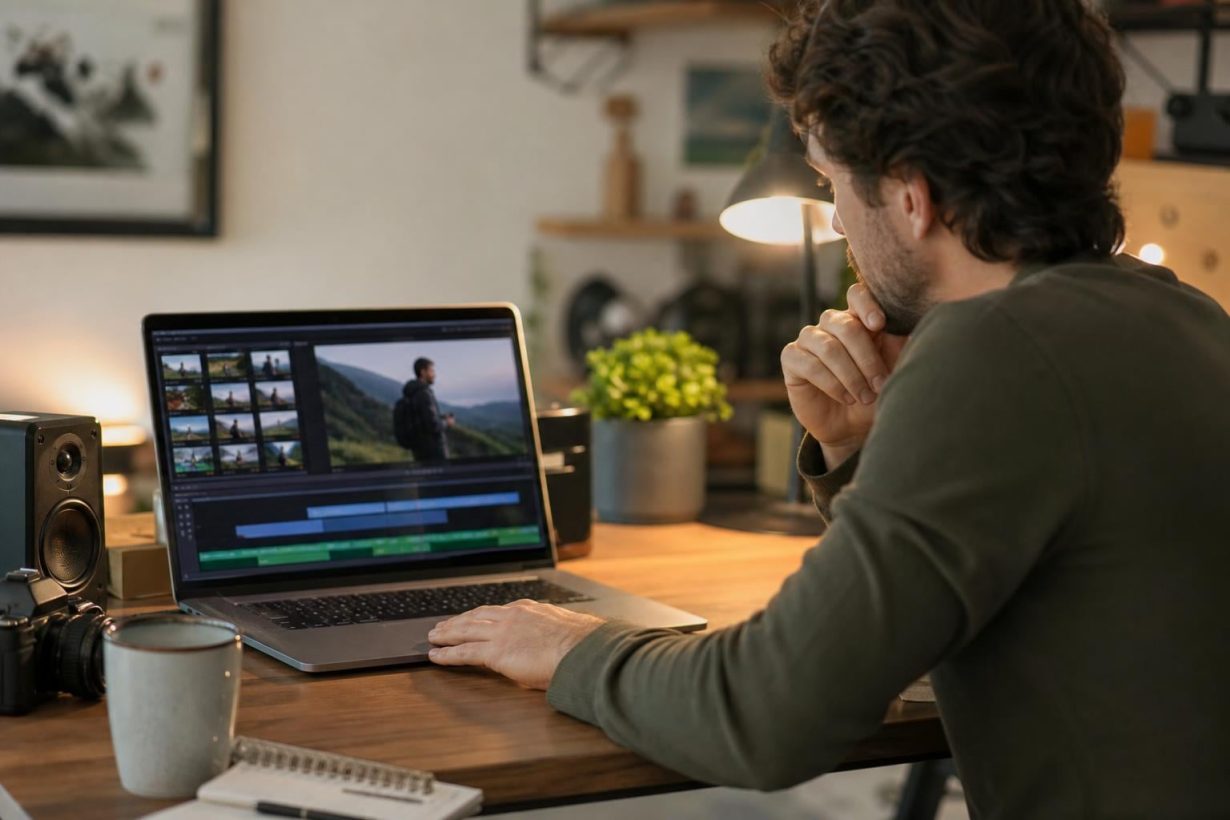
Every song is copyrighted by default, and YouTube’s Content ID system processed 2.5 billion claims in 2025 alone. Adding music to a YouTube video legally requires understanding the terms you’ll encounter: sync licenses, royalty-free rights, Content ID clearance, and more. This glossary defines every key concept in plain English, flags the traps that catch beginners, and gives you a clear path to using music without risking your channel.
You just got a Content ID claim. Or maybe you haven’t yet, but you’ve heard the horror stories and you’re trying to avoid becoming one. Either way, you searched for how to add music to YouTube videos legally, and you landed in the right place.
This glossary is for any YouTuber, from first-upload beginners to mid-tier creators pulling five figures a month, who wants to understand the legal terms that govern music on YouTube. Every definition includes why it matters to you personally, plus a “watch out” flag where creators commonly get burned.
The terms are grouped by the order you’ll encounter them, not alphabetically. You run into “copyright” before “Content ID” before “sync license” before “royalty-free.” The glossary follows that logic.
If you want a broader walkthrough of licenciamento de música para criadores, that guide pairs well with this one.
When someone creates a piece of music, it is automatically copyrighted. There’s no registration required, no opt-in process. Copyright law gives creators control over how their work is used, and anyone who wants to use that work needs permission.
Why it matters to you: Every song you want in your video is protected by default. The burden of getting permission falls entirely on you, the person adding the music.
Public domain music refers to songs and compositions no longer protected by copyright. Anyone can use, modify, or share these tracks without permission from the original creator.
In the United States, the most common way a work enters the public domain is through copyright expiration. Musical compositions published before January 1, 1930, have cleared the 95-year maximum. Each year, new compositions from the early 20th century become available. In 2026, several beloved compositions from the 1930s joined the public domain.
Why it matters to you: If a composition is genuinely in the public domain, you can use it for free, no license needed.
Watch out: A public domain composição can still have a modern gravação that’s fully copyrighted. If you use someone’s 2024 orchestral recording of a 1920s song, the recording owner can claim your video. Always verify who owns the specific recording, not just the underlying song.
Fair use allows limited use of copyrighted material without permission, but it is the most misunderstood concept in YouTube copyright law. Section 107 lays out four factors courts weigh together: the purpose of the use, the nature of the copyrighted work, how much you used, and the effect on the original’s market value. No single factor is decisive.
For creators, the practical reality is blunt: most common uses of popular music in videos do not qualify as fair use. Relying on it without understanding the legal test is a gamble that can cost you your channel.
Why it matters to you: Fair use is a legal defense argued in court, not a permission slip you can apply in advance. Content ID doesn’t understand fair use at all. It just matches audio.
Watch out: Three myths keep circulating in creator communities, and all of them are wrong. More on those in the myths section below.
Content ID is YouTube’s automated audio fingerprinting system. Every video upload is scanned against a database of over 100 million active reference files. When the system finds a match, it triggers a claim.
In 2025, Content ID processed 2.5 billion claims, up 14% from 2.2 billion the year before. Automated detection handles over 99% of all copyright actions on the platform. The system uses advanced AI pattern recognition, not just simple waveform matching, meaning pitch-shifted versions, remixes, and background loops buried under voiceover can still get flagged.
Why it matters to you: Content ID is the first gatekeeper you’ll face when adding music to a YouTube video legally. It doesn’t care about context, transformation, or commentary. It only asks: does this audio match something in the database?
Watch out: Only about 4,454 rightsholders actively use Content ID, but their reference files cover virtually every commercially released song. Over 90% of music rightsholders choose “monetize” as their Content ID policy, meaning they don’t take your video down. They just take your money.
For a deeper breakdown, see this guide to Content ID and AdRev.
These two terms are not interchangeable, and confusing them causes unnecessary panic.
A Reivindicação de ID de conteúdo is triggered automatically when audio fingerprinting detects a match. Your video stays up. The rights holder typically collects the ad revenue from that video, but your channel isn’t penalized.
A greve de direitos autorais is triggered manually, when a rights holder files a formal legal takedown request (a DMCA notice). Your video is removed. Three strikes within 90 days can terminate your entire account and every channel associated with it.
Why it matters to you: A claim costs you money. A strike can cost you everything. Understanding the difference helps you react appropriately. Disputes exist for claims; counter-notifications exist for strikes, but filing a counter-notification means agreeing to be sued in court if the rights holder pursues it.
A DMCA (Digital Millennium Copyright Act) takedown is the formal legal process behind copyright strikes. A rights holder files a notice with YouTube, and YouTube removes the content. You can file a counter-notification, but that’s not a casual button to click. It means you’re declaring under penalty of perjury that the content was removed in error, and the rights holder then has 10 to 14 business days to file a lawsuit against you.
Why it matters to you: Most creators who receive a DMCA notice simply remove or replace the audio rather than fight. Prevention, using properly licensed music from the start, is vastly easier than the legal process.
When a Content ID claim hits your video, the rights holder typically collects all ad revenue from it. Your video stays public, your subscriber count is fine, but you earn zero from that content.
YouTuber Zerkaa publicly described how a track playing in the background for 10 seconds in a two-and-a-half-hour video allowed the claimant to earn all the money on that video. That’s not an edge case. It’s how the system works by design.
Why it matters to you: Most claims redirect ad revenue silently. Many creators don’t notice the loss until they check analytics weeks later and see the gap.
Understanding license types is the core of adding music to YouTube videos legally. Here’s what each one means in practice.
A sync license grants permission to pair a copyrighted musical composition with visual media. Every time you place a song over video footage, you technically need sync rights. The sync license covers the composition (the song as written by the songwriter), not the specific recording.
Why it matters to you: This is the fundamental license type for YouTube creators. Most royalty-free music libraries bundle sync rights into their standard license, so you don’t negotiate separately. But if you’re trying to license a mainstream song directly, you’ll need to deal with sync licensing, and it gets expensive fast.
For the full breakdown of all seven license types, that guide covers sync, master, mechanical, and more.
A master use license grants permission to use a specific sound recording. While a sync license covers the composition, the master license covers the actual audio recording, and it’s typically controlled by the record label.
Why it matters to you: This is why licensing a hit song for your video is so complicated. You need two separate permissions from two different parties: the publisher for the sync license and the label for the master license. The costs add up quickly. For context, here’s a look at how much a song license actually costs.
A mechanical license grants permission to reproduce and distribute someone else’s composition. This comes into play primarily with cover songs. If you record yourself performing someone else’s song and upload it to YouTube, you technically need mechanical rights for the composition.
YouTube has blanket agreements with some publishers that partially cover this, but it’s not a guarantee. Many cover videos still receive Content ID claims on the underlying composition.
Why it matters to you: Cover songs are one of the most popular formats on YouTube and one of the most legally complicated. Getting claimed on a cover is common, even expected.
A royalty-free license means you pay once (per track or through a bundle) and owe no additional royalties for ongoing use. Despite the name, royalty-free does not mean free. It means no recurring royalty payments after the initial fee.
Why it matters to you: This is the most practical path for most creators who want to add music to YouTube videos legally without ongoing costs. A single payment clears you for repeated, long-term use.
Watch out: “Royalty-free” describes a payment model, not a legal status. You still need a license. And not all royalty-free tracks are Content ID-cleared, which brings us to the next term.
Explorar Catálogo isento de royalties da Foximusic for Content ID-cleared tracks with one-time licensing.
Content ID-cleared music comes from a provider that ensures its tracks won’t trigger claims against licensed users. Even if you have a valid license for a track, if that track is registered in Content ID’s database by a third party, you can still get claimed. Content ID-cleared means the provider has handled this on the backend so your video stays monetized.
Why it matters to you: This is the single most important feature when choosing a music source for monetized YouTube channels. A valid license protects you legally, but Content ID clearance protects your revenue in practice.
Practitioners on Reddit report a recurring pattern: they download from a “royalty-free” source, publish the video, then get claimed two days to three weeks later. The track was registered in Content ID by someone else. Revenue gone. Content ID-cleared catalogs from providers that own 100% of their music prevent this entirely.
For a deeper look, read the Content ID-cleared music and monetization guide.
A micro-sync license is a simplified, standardized version of a traditional sync license built for digital-first projects: YouTube videos, indie films, wedding videos, social ads, and creator content. Traditional sync licensing involves individual negotiation, custom fees, and weeks of back-and-forth. Micro-sync strips that down to pick a track, see the price, buy the license, and you’re cleared.
Why it matters to you: Most royalty-free music platforms operate on a micro-sync model, even if they don’t use that specific term. It’s the reason you can license a track in two minutes instead of two months.
A lifetime or perpetual license never expires. You pay once and use the track forever, with no renewals and no recurring fees.
Why it matters to you: This matters because videos stay on YouTube for years. If your license expires and you don’t renew, that old video can suddenly become a liability. A perpetual license eliminates this risk entirely.
Creators running automated or faceless channels especially benefit from this model. Here’s a look at lifetime licensing for faceless YouTube channels and how it works in practice. You can also compare Pagamento único versus planos de assinatura para ver qual modelo se adapta ao seu fluxo de trabalho.
YouTube Studio includes a built-in Audio Library of free music and sound effects pre-cleared for use on the platform. You can browse and add tracks directly in the post-upload editor.
Why it matters to you: It’s free and safe. No claims. For hobby videos or non-monetized content, it’s a perfectly fine starting point.
Watch out: The Studio editor only pulls tracks from YouTube’s own library. You cannot import music from your device or from a third-party license. If the track you want isn’t in the Audio Library, you need to add it in your editing software before uploading. Some tracks also require attribution in the video description.
Creators on forums frequently note the quality and variety gap. One common sentiment: “I haven’t found any good music using YouTube’s audio library.” For monetized channels that need specific moods or genres, third-party licensed libraries fill the gap. For example, licensing music for CapCut edits lets you add your chosen tracks before the upload.
Música do Criador is YouTube’s catalog of higher-quality tracks that creators can use without losing monetization. Some songs can be licensed upfront for full revenue retention. Others use a revenue-share model where ad income is split with the rights holder.
Why it matters to you: It’s a step up from the Audio Library in quality, and it keeps your video monetizable. But there are real limitations.
Watch out: Each license covers one video only. Creator Music tracks cannot be used on other platforms (Instagram, TikTok, client websites). And it does not cover Shorts, only long-form uploads. For creators who need a single track across multiple platforms, a broader commercial license makes more sense.
Many musicians release their work under Creative Commons licenses, which grant specific usage rights for free. The system uses standardized terms so you know what’s allowed before you download.
Why it matters to you: It’s free and legal when you follow the terms. For non-commercial projects with proper attribution, Creative Commons music works well.
Watch out: Two critical traps exist. First, you cannot use music under a No Derivative Works (ND) license in a video. Under CC law, syncing music to images constitutes transforming the music, which ND licenses prohibit. Second, some CC licenses restrict commercial use entirely. If you monetize your videos, a NonCommercial (NC) license means you’re technically in violation. Always read the specific license type before downloading.
This is where the most beginners get burned. When someone uploads a “no copyright music” compilation on YouTube and you grab a track from it, three things can be true simultaneously: the original author waived royalties, the compilation uploader had no right to redistribute the song, and the actual rights holder later registered the audio with Content ID.
Why it matters to you: This is the most common path to getting claimed in 2026. Practitioners on Reddit describe the pattern repeatedly: download from a “no copyright” mix, publish the video, get claimed within days. The phrase “no copyright” is marketing, not a legal status.
Pre-licensed catalogs where creators pay per track or per bundle and receive cleared tracks for video use. The best libraries bundle sync and master rights together, include Content ID clearance, and provide downloadable license documentation.
Why it matters to you: For most creators who want to add music to YouTube videos legally while keeping full monetization, a reputable royalty-free library is the most reliable path. The key is choosing one that owns its catalog outright, so there are no third-party conflicts that can trigger unexpected claims.
A PRO (like ASCAP, BMI, or SESAC) collects royalties on behalf of songwriters when their music is performed publicly, including on YouTube. Some royalty-free tracks are registered with a PRO, which can create unexpected fees, especially for broadcast or commercial use.
Why it matters to you: If your content might air on TV, radio, or streaming platforms, PRO registration can create additional costs and complications. PRO-free music eliminates this issue entirely. Here’s a guide to Transmita música sem as dores de cabeça das empresas de direitos autorais..
Whitelisting is the process by which a music provider instructs Content ID to ignore claims against specific licensees’ channels. If you buy a track from a provider whose music is in the Content ID database, they “whitelist” your channel so the claim doesn’t stick.
Why it matters to you: Whitelisting works, but it requires ongoing maintenance from the provider and can take days to process. Content ID-cleared catalogs from providers that own 100% of their music eliminate the need for whitelisting entirely, because there’s no third-party claim to whitelist against in the first place.
Watch out: Whitelisting does not cancel the songwriter’s performance royalties. YouTube holds blanket performance licenses with PROs, so the composer can still earn their PRO royalties even when your channel is whitelisted.
YouTube’s published revenue share is 55% to the creator and 45% to YouTube on long-form content. Shorts work differently: the platform aggregates all Shorts ad revenue, subtracts a music-licensing cost, then distributes 45% of the remainder to creators proportional to views.
Why it matters to you: When a Content ID claim hits your long-form video, the rights holder may collect your entire 55% share. You keep nothing from that video’s ads. On a video earning $500/month, that’s $500 gone, not split, just gone.
YouTube does not ban AI-generated music, but treats it as high-risk content. AI-generated music can be uploaded and monetized only if you fully own the rights to the AI output, the AI tool’s terms allow commercial and exclusive usage, the music does not imitate identifiable real artists, and the content is sufficiently unique.
In 2026, AI music detection can flag copyrighted audio within seconds, even in remixes, pitch-shifted versions, or loops buried under voiceover. Using AI to “create” something that sounds like a copyrighted song doesn’t make it legal. It makes it harder to detect, temporarily.
Why it matters to you: AI music is a growing option, but “I made it with AI” is not a copyright shield. Check your AI tool’s terms of service carefully, particularly regarding commercial use and exclusivity. If the tool retains ownership of outputs, you don’t have the rights to monetize on YouTube.
These myths circulate endlessly in creator communities. All of them are wrong.
Myth 1: “Using under 10 seconds is safe.”
Copyright law sets no minimum duration. There is no 10-second rule, no 30-second rule, no safe threshold. Content ID has matched audio clips under three seconds long.
Myth 2: “Giving credit in the description is enough.”
Credit is good practice, but it is legally irrelevant. Attribution does not equal permission. As one Steam community forum user put it bluntly: “Giving credit is BS and doesn’t work. You’re still taking views from the original creator. It doesn’t avoid copyright law at all.”
Myth 3: “I bought the song on Spotify, so I can use it.”
Purchasing or streaming a song gives you a license to listen to it. Publishing rights and synchronization rights are completely separate. Using a Spotify track in your video requires a sync license from the rights holder.
Myth 4: “My video isn’t monetized, so copyright doesn’t apply.”
Even if you don’t monetize the video, you still break copyright rules by using music without permission. The rights holder can still claim or strike your video regardless of your monetization status.
Myth 5: “Everyone else uses this song without getting caught.”
Most claims redirect ad revenue silently. The creator never gets a dramatic notification. They just stop earning on that video, and many don’t notice until they dig into analytics weeks later. “Everyone else does it” really means “everyone else is losing money and doesn’t realize it.”
Not every video needs the same solution. Here’s how to match your situation to the right music source.
For Shorts specifically, here’s a detailed look at YouTube Shorts copyright and music options.
Understanding these terms is the foundation. Actually adding music to your YouTube videos legally means choosing a source that matches your needs, verifying the license covers your use case, and keeping documentation.
Here’s the three-step workflow that works:
One creator on Reddit shared a cautionary example worth noting: they used a track from Adobe Rush’s built-in library (Splice Originals), then received a Content ID claim from a completely different company that had registered the same samples. The claimant appeared to be “using Adobe soundtracks and claiming them as their own.” Even “included” music in editing tools isn’t bulletproof if a third party registers overlapping audio with Content ID. Source matters.
If you’re tired of navigating Content ID claims and confusing license terms, the simplest fix is starting from a catalog that’s built to prevent the problem.
Navegar Listas de reprodução selecionadas pela Foximusic to find tracks by mood and use case, all Content ID-cleared with lifetime licensing.
No. Credit is a courtesy, not a legal permission. Adding “I don’t own this music” or crediting the artist in your description does not grant you sync rights. You need an actual license or explicit permission from the rights holder.
There is no safe number of seconds. Copyright law contains no duration threshold, and Content ID has matched clips shorter than three seconds. The “10-second rule” is a myth with no basis in U.S. copyright law.
Your video usually stays up, but the rights holder collects all ad revenue from it. Your channel doesn’t receive a strike. You can dispute the claim if you believe it’s incorrect (for example, if you have a valid license), but frivolous disputes can escalate to a strike.
Yes. Tracks in the YouTube Audio Library are pre-cleared for use on YouTube. Some require attribution in the video description. However, the library has limited variety and quality, and its tracks can only be added through YouTube’s editor, not imported into external editing software.
Royalty-free means you pay a one-time fee and owe no additional royalties for ongoing use of the track. It does not mean the music is free. You still need to purchase a license. The term describes the payment structure, not the price.
You can, but only if you fully own the rights to the AI output, the AI tool allows commercial use, and the music doesn’t imitate identifiable real artists. Check your AI tool’s terms of service carefully. If the tool retains ownership of outputs, you don’t have the right to monetize the content on YouTube.
Royalty-free describes the payment model (pay once, no recurring royalties). Content ID-cleared means the provider has ensured the track won’t trigger automated claims against licensees. You can have royalty-free music that isn’t Content ID-cleared, which means you might still get claimed despite having a valid license. For monetized channels, you want both.
Technically, yes. Performing someone else’s composition requires a mechanical license. YouTube has blanket agreements with some publishers that partially cover this, but many cover videos still receive Content ID claims on the underlying composition. If you earn revenue from covers, expect claims and consider them part of the cost of that content format.
This glossary is educational content, not legal advice. For specific copyright questions about your situation, consult a qualified attorney.
Gere instantaneamente prompts de texto para vídeo prontos para produção e obtenha resultados de nível profissional com nossa ferramenta gratuita de geração de prompts de vídeo.







 English English
  Spanish
 French
 Italian
 German
 Portuguese
 Chinese
 Japanese
 Hebrew