✨ Summarize article with AI

Last updated: July 2026
AI in audio post production refers to machine learning tools that handle repetitive technical tasks like noise removal, dialogue cleanup, and loudness normalization, freeing creators to focus on storytelling. This glossary defines every major AI audio term you’ll encounter in 2026, explains when each tool matters for your workflow, and names the specific software professionals actually use. It’s written for video editors and podcasters who want clarity, not hype.
You’ve recorded your podcast or finished a shoot. Now you’re staring at audio full of background hum, uneven levels, and a dozen filler words. Someone tells you “just use AI” but you’re not sure which tool does what, or whether any of it actually works. This glossary gives you a plain-language reference for every AI audio post-production term worth knowing, grouped by workflow stage, so you can stop guessing and start finishing projects faster.
This guide is for video editors and podcasters who encounter AI audio tools daily but need a clear vocabulary to cut through the marketing noise. Every definition includes practical context: when you’d use it, which tool handles it, and what to expect.
If you’re building out your post-production workflow, bookmark this page as your reference.
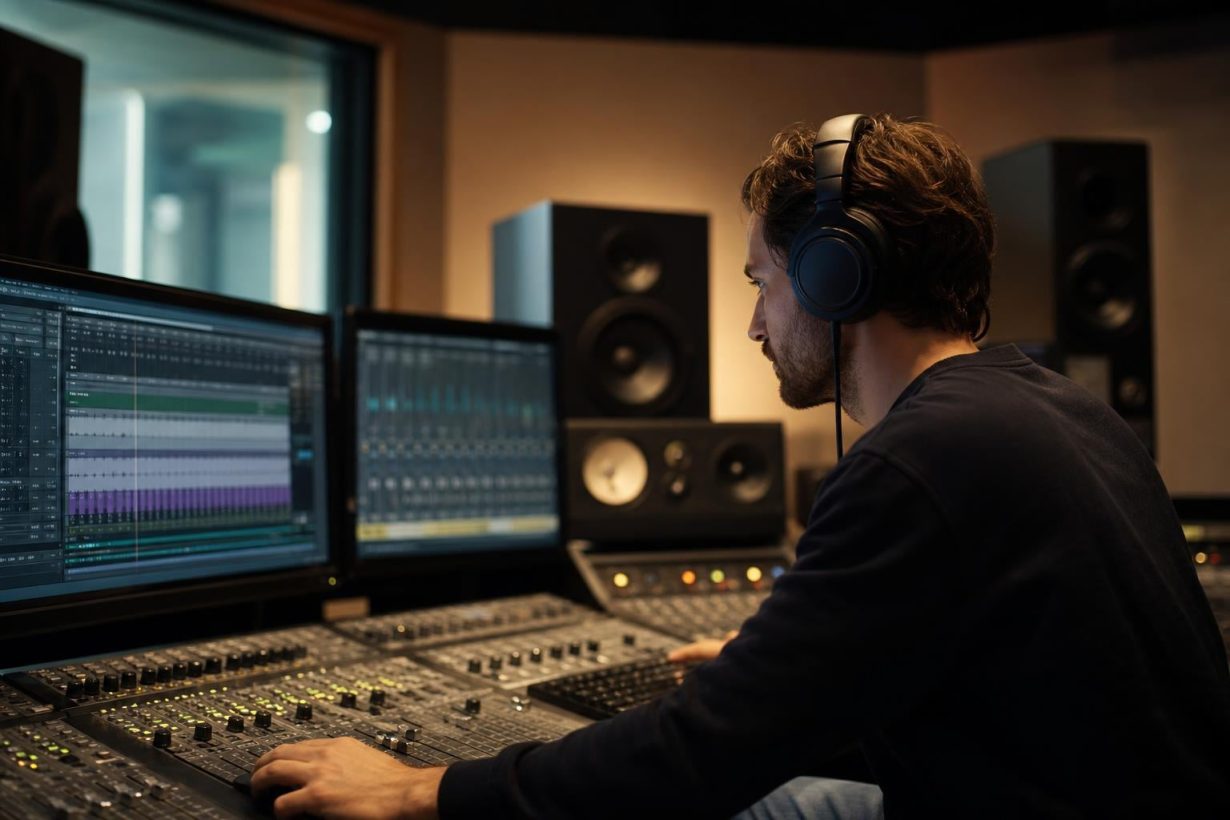
Audio post-production is everything that happens to your sound after recording. The traditional workflow moves through these stages:
Editing: Cutting, arranging, and syncing audio clips
Sound design: Adding effects, ambience, and Foley
Mixing: Balancing levels, EQ, panning, and effects across all tracks
Mastering: Final polish for loudness, clarity, and format compliance
Delivery: Exporting to broadcast specs, streaming platforms, or podcast hosts
AI tools now touch every single one of these stages. But understanding where they fit requires knowing what “AI” actually means in this context.
Most “AI” audio tools are not general intelligence. They’re trained neural networks, specifically deep neural networks (DNNs) that learned patterns from thousands of hours of audio data. Here’s the quick breakdown:
Machine learning (ML): Algorithms that improve through exposure to data. Most audio cleanup tools use ML.
Deep learning: A subset of ML using layered neural networks. Powers the most impressive tools like stem separation and voice cloning.
AI (as marketed): A catch-all term companies use for anything involving trained models. Take it with a grain of salt.
When someone says “AI noise reduction,” they almost always mean a deep neural network trained on clean and noisy audio pairs. It’s powerful, it’s specific, and it’s not magic.
AI denoising uses deep neural networks trained on thousands of hours of clean and noisy audio to identify and remove unwanted sounds like hiss, hum, wind, and room tone. The model predicts what the “clean” audio should sound like and subtracts the interference.
When you’d use this: You recorded an interview in a noisy cafe, or your home studio has persistent HVAC noise. Tools like iZotope RX, Auphonic, and Adobe Podcast Enhance Speech handle this automatically. Practitioners on Reddit frequently point to Adobe Podcast Enhance Speech as a surprisingly effective free option for quick podcast cleanup.
Key distinction: Noise cancellation is hardware or live software (your headphones, your mic’s built-in processing). Noise reduction happens after recording. If you’re fixing audio in post, that’s reduction. Post-recording AI cleanup often gets better results because the algorithm can analyze patterns across your entire file rather than processing in real time.
Dialogue isolation extracts speech from a mix of background noise, music, and ambient sound. AI models trained specifically on human speech patterns can separate a voice from nearly anything behind it.
When you’d use this: A filmmaker whose location audio has generator noise drowning out the actor. One practitioner reported restoring dialogue from a scene that would have required $5,000 in ADR (automated dialogue replacement) costs, saving the budget entirely. iZotope RX is the industry benchmark here, with its latest version combining advanced AI with real-time reverb reduction and a streamlined mixer interface.
For podcasters, dialogue isolation matters less (you’re usually recording in controlled environments), but video editors working with location sound will reach for this constantly.
De-reverb uses neural networks to reduce room reflections baked into a recording. Traditional EQ can’t fix reverb because it occupies the same frequency range as speech. AI models can distinguish between the direct voice signal and the reflected sound.
When you’d use this: You recorded in a tile bathroom or an empty conference room. The audio sounds like a cave. AI de-reverb won’t make it perfect, but it can reduce the problem from “unusable” to “acceptable.”
AI scans your audio for “um,” “uh,” “like,” “you know,” and similar verbal tics, then automatically removes them while keeping natural speech rhythm intact. Both Auphonic and Descript handle this across multiple languages.
When you’d use this: Podcast editing. This is a massive time-saver. Podcasters on forums regularly report that automated filler removal cut their editing time from 15 hours to roughly 5 hours per episode. That number sounds dramatic until you’ve manually hunted through a two-hour conversation for every stray “um.”
Spectral editing displays audio as a visual spectrogram (frequency over time) and lets you select and remove specific sounds using drawing tools. AI-enhanced spectral editors can automatically identify problem frequencies.
When you’d use this: A phone rings during a quiet dialogue scene. A dog barks during your podcast intro. You need to remove one specific sound without affecting anything else in the mix. iZotope RX and Steinberg SpectraLayers Pro are the two main options here.
Introduced in iZotope RX 12 (released April 2026), generative fill is a philosophical shift in audio restoration. Instead of simply removing a problem and leaving silence or artifacts behind, the AI synthesizes plausible replacement audio to fill the gap. Think of it like Photoshop’s Content-Aware Fill, but for sound.
When you’d use this: You remove a cough from the middle of a sentence, and instead of an awkward gap, the AI reconstructs the ambient tone of the room. This moves audio repair from “remove the bad” to “regenerate the good,” and it’s genuinely new territory. RX 12 Advanced runs $799; the full Post Production Suite 9 costs $1,799.
Stem separation takes a finished audio mix and breaks it into individual elements: vocals, drums, bass, and other instruments. AI models trained on massive datasets of isolated and mixed audio can now do this with remarkable accuracy.
When you’d use this: You need to pull the dialogue out of a mixed-down file that wasn’t delivered with separate stems. Or you want to isolate a vocal for a remix. AI stem separation went from research demo to daily-use tool in roughly two years. AudioShake reports that their extracted dialogue stems improve transcription accuracy by 25% or more.
For filmmakers, this is particularly valuable when working with archival footage or foreign-language content where original stems are unavailable.
Scene rebalance uses AI to adjust the relative levels of dialogue, music, and effects within an already-mixed audio track. Rather than full stem separation, it identifies and adjusts the broad categories.
When you’d use this: A client delivers a final mix where the music is too loud over dialogue. You don’t have separate stems. Scene rebalance lets you pull the music down without re-mixing from scratch.
AI transcription converts spoken audio to text using models trained on diverse speech patterns, accents, and vocabularies. Modern engines like those in Riverside and Descript achieve accuracy rates that rival human transcribers for clean recordings.
When you’d use this: Creating subtitles, show notes, or searchable transcripts. For podcasters producing video podcasts, accurate transcription also feeds accessibility and SEO.
Pioneered by Descript, text-based editing lets you edit audio by editing its transcript. Delete a word from the text, and the corresponding audio disappears. Rearrange paragraphs, and the audio follows.
When you’d use this: Podcasters and educators recording courses find this genuinely transformative. Instead of scrubbing through a waveform hunting for a specific sentence, you search the text, highlight what you want to cut, and delete it. Practitioners describe it as the single biggest workflow change in podcast production over the past five years.
Modern TTS engines like ElevenLabs Eleven v3 capture micro-level speech patterns including breath sounds, natural pauses, and emotional coloring. In blind testing, listeners can’t reliably distinguish top-tier AI voices from professional voice actors.
When you’d use this: Narration for explainer videos, voiceover prototyping, or creating audio versions of written content. A text-to-voice workflow that previously required a voice actor, studio time, and post-production now runs in minutes.
A word of caution: Voice cloning raises real ethical questions about consent and deepfakes. Reputable platforms require voice owners to verify consent before cloning.
Machine learning algorithms can analyze a scene’s visual context and suggest appropriate sound effects, or generate entirely new sounds from text descriptions. This is one of the fastest-moving areas in AI audio.
When you’d use this: You need the sound of a specific door closing in a specific room, and no stock library has it. AI generative tools can create it from a text prompt. For creators looking for sound effects, you might also explore free sound effects resources alongside AI generators. Foximusic offers an AI SFX Generator with one-time credits (no subscription) and a free-try tier for creators who want to experiment.
AI mixing tools analyze your audio and make real-time adjustments to levels, EQ, compression, and spatial positioning. They don’t replace a mix engineer’s ear, but they get you to a solid starting point faster.
When you’d use this: You’re a solo podcaster or YouTuber without mixing experience. AI-assisted mixing balances your voice against background music and corrects obvious frequency problems. Auphonic is one of the most practical options, automatically adjusting levels and optimizing metadata with no compressor knowledge required.
If you’re looking for music for video production to put underneath your newly mixed audio, getting the levels right between voice and music is exactly where AI mixing shines.
AI mastering applies final loudness, EQ, and dynamic processing to make a track ready for distribution. Online services analyze your audio, compare it against reference tracks, and apply corrections.
When you’d use this: You’ve finished mixing a podcast episode or video soundtrack and need it to sound polished on earbuds, car speakers, and studio monitors. AI mastering is good enough for most content creator needs, though professional music releases still benefit from a human mastering engineer.
Loudness normalization ensures your audio meets the specific loudness standards required by different platforms (YouTube, Spotify, broadcast TV all have different targets). AI tools can instantly conform your audio to these standards.
When you’d use this: Every time you deliver content. Seriously. If your podcast is too quiet on Spotify or your YouTube video gets turned down by the platform’s own normalization, your content sounds worse than competitors’. Auphonic handles this automatically for podcasters. Broadcast engineers use dedicated tools to conform to standards like LUFS targets in seconds.
Understanding Content ID and how it works matters here too, since loudness normalization affects how platform algorithms analyze your audio.
In 2026, spatial audio production integrates AI to accelerate workflows for Dolby Atmos, binaural, and 360-degree audio. AI can assist with object placement, room simulation, and upmixing stereo content to immersive formats.
When you’d use this: Creating content for Apple Music Spatial Audio, immersive VR experiences, or Atmos-enabled streaming platforms. Dolby Atmos integration is no longer limited to major studios. Smaller teams are adopting cost-efficient AI workflows to achieve multidimensional sound that was previously out of reach.
AI-powered auto-sync aligns dialogue, sound effects, and music with visual elements automatically. The tool analyzes waveforms and visual cues to match timing without manual frame-by-frame adjustment.
When you’d use this: Multi-camera shoots where audio was recorded separately. Music videos. Any project with complex audio-visual interactions where manual syncing would take hours.
AI batch processing applies the same corrections (noise reduction, loudness normalization, format conversion) across hundreds of files without manual intervention.
When you’d use this: You have 50 podcast episodes that need consistent loudness. Or a documentary project with 200 interview clips that all need denoising. Process them overnight.
Some tools now offer an “assistant” mode where AI analyzes your audio, identifies problems (hum, clipping, noise, reverb), and suggests a chain of fixes. You approve or adjust, then apply.
When you’d use this: You’re not sure what’s wrong with your audio. You know it sounds bad but can’t diagnose the specific problems. The repair assistant acts as a second pair of ears.
Here’s a quick reference of the major tools by use case:
Tool | Primary Use | Best For |
|---|---|---|
iZotope RX 12 | Dialogue cleanup, spectral editing, generative fill | Film/TV editors, serious podcasters |
Descript | Text-based editing, filler removal, transcription | Podcasters, course creators |
Auphonic | Loudness, noise reduction, level balancing | Podcasters, YouTubers |
Adobe Podcast Enhance Speech | Quick AI noise reduction (free) | Anyone needing fast cleanup |
ElevenLabs | Voice cloning, TTS | Narration, voiceover prototyping |
Riverside | AI recording, transcription, editing | Remote podcast/video interviews |
For a broader look at AI tools beyond audio, see 25 AI tools for video and content creators. Podcasters specifically might want to explore AI agents for podcast workflows.
No. And the historical pattern makes this clear.
Digital workstations didn’t replace editors. Sample libraries didn’t replace Foley artists. Auto-conform didn’t replace dialogue editors. The craft evolves, but the craftspeople remain essential.
AI in audio post production handles the parts of the job that are repetitive, time-consuming, and tedious: cleaning dialogue, removing noise, sorting files, repairing audio issues that used to consume hours of manual work. One industry case study showed production costs dropping 52% while product output grew 300%, with 4 million hours of audio processed in a single quarter. That’s efficiency at scale.
But the human element, the sense of timing, storytelling, rhythm, texture, and emotional sensitivity, remains completely untouched. A neural network can remove hum from a dialogue track. It cannot decide that the hum should stay because it adds atmosphere to the scene. That creative judgment is what separates a finished product from a cleaned-up file.
AI offered a third option that the industry needed: maintain quality at lower labor cost by automating tasks that consumed the most hours but added the least creative value.
Here’s the practical takeaway. AI in audio post production has compressed hours of technical grunt work into minutes. A podcaster can now record, clean, edit by transcript, normalize loudness, and export in a fraction of the time it took three years ago. A filmmaker can rescue location audio that would have required expensive ADR sessions.
But once your audio is clean and polished, you still need music underneath it. And that music needs clear licensing that won’t trigger Content ID claims or complicate your monetization.
This is where the workflow comes full circle. Your AI tools handle the technical repair. Your ears handle the creative decisions. And your music needs to come with licensing that doesn’t create new problems.
Browse background music for videos with Content ID-cleared, lifetime licensing that won’t expire or require monthly payments.
Foximusic offers one-time purchase music licensing across Personal, Commercial, and Extended tiers. Every track is produced in-house, fully owned, and cleared for monetized content. No subscriptions, no recurring fees, no PRO headaches.
AI noise reduction uses deep neural networks trained on paired examples of clean and noisy audio. The model learns to predict interference patterns and subtract them from your recording. Unlike traditional noise gates or EQ cuts, AI denoising can target specific noise types without affecting speech quality. Tools like iZotope RX and Adobe Podcast Enhance Speech are the most widely used options.
Noise cancellation is a real-time process, usually hardware-based (headphones, microphones) or live software that works during recording. Noise reduction happens after recording, during post-production. If you’re fixing audio you’ve already captured, you need noise reduction. AI post-recording cleanup often produces better results because it can analyze your entire file rather than processing frame by frame in real time.
Yes. AI stem separation can extract vocals, drums, bass, and other instruments from a mixed audio file with surprising accuracy. This technology went from academic research to practical daily-use tools in about two years. AudioShake reports 25% or greater improvements in transcription accuracy when working with AI-extracted dialogue stems compared to mixed audio.
For technical repair work, yes. AI tools like iZotope RX are already behind countless Oscar, Grammy, and Emmy-winning productions. For creative decisions like sound design choices, emotional pacing, and narrative sound storytelling, humans remain essential. The best results come from using AI to handle tedious cleanup while humans focus on craft.
Adobe Podcast Enhance Speech offers free AI noise reduction through a web browser. Descript has a free tier with limited features. Auphonic provides two hours of free processing per month. These are solid starting points for creators testing AI audio workflows before investing in premium tools.
Podcasters commonly report cutting editing time by 60-70%, going from roughly 15 hours per episode down to about 5. The biggest time savings come from automated filler word removal, AI-powered leveling between speakers, and text-based editing that eliminates manual waveform scrubbing.
Generative fill, introduced in iZotope RX 12 in 2026, reconstructs damaged or removed audio instead of leaving silence. When you delete a cough or unwanted sound, the AI synthesizes replacement audio that matches the surrounding room tone and ambience. It represents a shift from subtractive repair to reconstructive repair, a genuinely new capability in audio post-production.
Not necessarily. Free tools like Adobe Podcast Enhance Speech handle basic cleanup well. Auphonic’s free tier covers podcast normalization and noise reduction. As your needs grow, paid tools like iZotope RX ($799 for Advanced) and Descript’s premium tiers offer more sophisticated features. Start free, upgrade when you hit limitations.
Generate production-ready text-to-video prompts instantly and get pro-level results with our free video prompt generator tool.








 English English
  Spanish
 French
 Italian
 German
 Portuguese
 Chinese
 Japanese
 Hebrew