✨ Summarize article with AI
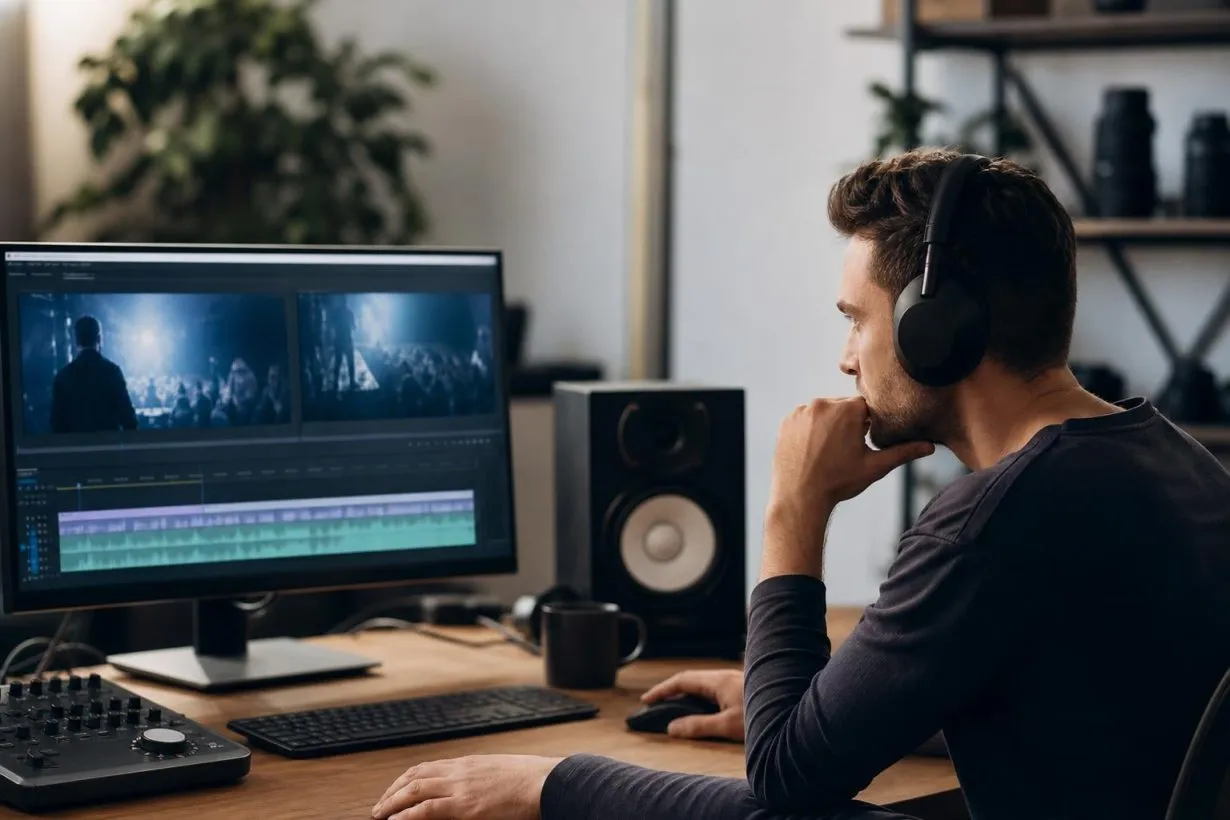
You can use background music on YouTube if it comes from YouTube’s Audio Library, your own compositions, properly licensed royalty-free tracks, verified public domain recordings, or correctly attributed Creative Commons music. Songs labeled “free” or “no copyright” can still trigger Content ID claims, so always verify the actual license before uploading. The safest approach is to use music where you can prove permission and save that proof with your project files.
You can get a YouTube copyright claim from the wrong background song, even if the music is quiet, short, or labeled “free.” This guide explains exactly what background music you can use on YouTube, which licensing terms actually matter, and how to avoid claims before you hit publish.
This is written for one person: a creator editing a video right now who needs safe background music without becoming a copyright lawyer.
YouTube considers music “safe” when it is either in the public domain or you have permission from the copyright owner. That means YouTube’s own Audio Library, original music you created, Creator Music (where eligible), and third-party music where the license clearly states where and how the track can be used.
The practical takeaway: “safe” does not mean “nobody owns it.” It means the use is allowed, and you can prove it.
Your safest free starting point for YouTube-only uploads is the Audio Library inside YouTube Studio. For monetized channels, client projects, sponsored content, or cross-platform use, you need properly licensed royalty-free music with documentation you can save.
If you want to test free, clearly licensed tracks before committing to a paid license, browse Foximusic’s free collection to see how licensed music works in practice.
Before getting into definitions, here is a quick classification of the most common background music sources for YouTube creators.
| Music source | Can you use it? | Monetization risk | Best for | Main warning |
|---|---|---|---|---|
| YouTube Audio Library | Yes | Low on YouTube | Free YouTube-only videos | Check attribution; limited off-YouTube rights |
| Your own original music | Yes, if truly yours | Low | Unique channel branding | Keep proof of creation; avoid uncleared samples |
| Licensed royalty-free music | Yes, if license covers YouTube | Low to medium | Monetized, client, ad, cross-platform work | Save license proof; confirm Content ID clearance |
| Creative Commons music | Sometimes | Medium | Low-budget projects | Check exact CC license; NC and ND can block monetization |
| Public domain music | Sometimes | Medium | Classical or historical use | Composition and recording rights are separate |
| Creator Music | Sometimes | Medium | Eligible U.S. YPP long-form videos | Region, track terms, brand restrictions apply |
| Popular or chart songs | Usually no | High | Only with a specific license | Credit does not equal permission |
| “No copyright” playlists | Risky | Medium to high | Testing only | Playlist title is not a license |
| Game, anime, or movie music | Risky | High | Avoid unless official policy allows | Rights-holder policies can change anytime |
| Music playing in public | Risky | Medium to high | Avoid or replace audio | Even faint music can be matched |
| AI-generated music | Depends | Medium | Fast drafts, custom beds | Check platform terms; legal uncertainty remains |
Bookmark this table. It will save time every time you sit down to edit a video.
Copyright-safe music means you either own the music, have permission to use it, or the music is in the public domain. On YouTube specifically, “safe” also means you can prove your right to use the track if Content ID flags it.
This is where most beginners get confused. Safe does not mean “nobody copyrighted this song.” It means the copyright holder said you could use it, under specific terms. YouTube’s documentation makes this clear: Content ID does not know whether you bought rights to a song on another website or offline. A licensed track might still trigger a match. The difference is that you have documentation to dispute or clear the claim quickly.
For a deeper explanation of how Content ID matching systems work, this AdRev and Content ID guide covers the mechanics.
The YouTube Audio Library is the safest free source of background music you can use on YouTube because it lives inside YouTube Studio and YouTube confirms its tracks are copyright-safe. YouTube Partner Program creators can monetize videos using Audio Library music, and tracks downloaded from the library will not be claimed through Content ID.
A few things to know:
If your video will only live on YouTube and you are not yet monetized, the Audio Library is a solid starting point. When your needs grow beyond casual YouTube-only uploads, you will want a broader license.
Royalty-free music does not mean free music. It means you pay for a license (sometimes free, sometimes paid) and then use the track without paying a new royalty every time someone watches or plays the video. The music is still copyrighted. The license terms decide whether you can monetize a YouTube video, run ads, do client work, create Shorts, post on TikTok, or use the track on a website.
This is where choosing the right license tier matters. A Personal license might cover casual uploads. A Commercial license typically covers monetized content, client work, and digital ads. An Extended license handles broadcast, apps, games, and larger audiences. Read the terms before downloading, not after a claim arrives.
Foximusic, for example, uses one-time payment, lifetime licenses with Content ID-cleared tracks and instant PDF license certificates. That model means no recurring fees and clear documentation if a platform ever asks for proof.
See Foximusic’s license tiers and pricing
“Copyright-free” is one of the most misleading phrases in creator culture. True copyright-free use usually means the work is in the public domain, released under CC0, or licensed in a way that specifically allows your exact use. Writing “no copyright intended” in a video description does nothing.
YouTube explicitly warns that Content ID can flag music labeled “free” and that written descriptions are not proof of permission.
Practitioners on Reddit report this regularly. In one NewTubers thread, a creator used a song from a “no copyright” account and still received a copyright restriction. Replies warned that “no copyright” is not the same as no royalties, and that automated systems do not read claims made in playlist titles.
The takeaway is simple: if a playlist title is your only proof of permission, you do not have permission.
Creative Commons music can work on YouTube, but only if the specific CC license allows your exact use. There are six main CC license types, and the conditions vary significantly.
| CC license element | What it means for YouTubers |
|---|---|
| BY | Credit is required in a specific format |
| NC (NonCommercial) | Cannot be used on monetized or sponsored videos |
| ND (NoDerivatives) | Cannot edit, loop, remix, or modify the track |
| SA (ShareAlike) | Your adaptation may need the same license |
| CC0 | Usually the easiest option, similar to public domain |
The biggest trap: some composers offer free CC-licensed music but still use Content ID. A LinkedIn post about composer Scott Buckley’s “Smart Content ID” system described how users needed to place credit in the video description in a specific format. Missing that exact description credit triggered a claim, even though the music was technically “free.”
Credit format matters. “I credited them somewhere in the video” may not satisfy the license.
Public domain music is music no longer protected by copyright. But for creators choosing background music on YouTube, there is a catch most guides skip: composition rights and recording rights are separate.
The U.S. Copyright Office explains that a musical work (the underlying composition and lyrics) is a different copyright from the sound recording (the specific recorded performance).
A Beethoven sonata? The composition is public domain. But a 2024 orchestra recording of that sonata is almost certainly copyrighted by the orchestra, label, or performers. Upload that recording without permission and Content ID can still claim your video.
Always verify the specific recording, not just the composition title.
Creator Music is a YouTube Studio feature that lets eligible creators use certain popular tracks under specific terms. It sounds simple, but the restrictions matter.
Creator Music has been available primarily to U.S. YouTube Partner Program creators, with limited international expansion. Usage terms vary by track and can include revenue sharing with the rights holder. Creator Music tracks are designed for long-form videos, not Shorts or live streams.
Important 2026 update: YouTube began phasing out paid Creator Music licenses in August 2026. Creators should check current track usage terms inside YouTube Studio rather than assuming any popular song is available for purchase.
There is also a restriction most guides miss. Creator Music tracks cannot be used in videos where a brand paid you to create content primarily dedicated to endorsing or promoting that brand. A brief sponsor mention in a cooking video is fine. A full paid product review built around the sponsorship is not.
A Content ID claim happens when YouTube’s automated system matches audio or video in your upload against copyrighted material in its database. The rights holder, not you, decides what happens next: block the video, run ads and keep the revenue, or track viewership. These outcomes can even vary by country.
To understand the scale: Content ID partners represented more than 99% of all copyright actions on YouTube and accounted for over 2 billion claims in 2025. You are not waiting for a human to watch your vlog. You are uploading into a massive automated matching system that runs around the clock.
That is why one faint song playing in a bar can matter. A 20-minute video with three seconds of recognizable music in the background can lose its entire monetization.
For a closer look at how Content ID affects your ability to earn from videos, this Content ID monetization guide breaks down the details.
A Content ID claim usually affects one video, not your whole channel. A copyright strike is more serious. It happens after a valid copyright removal request, and three strikes within 90 days can put your channel at risk of termination.
A claim is not automatically a strike. But repeated bad music choices can stack up and create real channel risk over time. The safest approach is to prevent claims rather than fix them after the fact.
| Myth | Reality |
|---|---|
| “If I give credit, I’m safe.” | Credit is polite but not permission. YouTube says giving credit is not a valid dispute reason. |
| “If I don’t monetize, I can use any music.” | Not monetizing does not make unlicensed use legal or claim-free. |
| “The title says ‘no copyright,’ so it’s fine.” | Playlist titles are not licenses. Content ID can still flag the music. |
| “I only used 10 seconds.” | There is no safe number of seconds. Even short clips of popular songs can trigger claims. |
| “Royalty-free means copyright-free.” | Royalty-free music is still copyrighted. The license controls how you use it. |
| “A claim is the same as a strike.” | Claims affect videos. Strikes affect channels. They work differently. |
| “Public domain composition means any recording is safe.” | A composition can be public domain while a specific recording is still copyrighted. |
This is one of the most common edge cases, and it catches creators off guard. If a copyrighted song is audible in a restaurant, bar, car, or public place while you film, Content ID can still identify and claim it.
Practitioners on Reddit report this regularly. In one NewTubers thread, a creator asked whether a few seconds of music playing in a bar could cause a problem. Replies included examples of claims from family videos, dashcam footage, restaurant vlogs, and barely audible background audio. One commenter described losing monetization on a 20-minute video because of a few seconds of incidental music captured in public.
The practical advice:
Prevention is always faster than disputes.
Many creators assume what background music you can use on YouTube is the same across all video formats. It is not. Shorts have specific copyright risks that became more complex in October 2024 when YouTube started categorizing vertical videos from 1 to 3 minutes as Shorts.
The key rule: if a 1 to 3 minute Short has an active Content ID claim, it will be blocked on YouTube regardless of the claim policy. The creator does not receive a copyright strike, but the video simply will not be viewable until the claim is resolved.
This means music that works fine in a long-form upload could get your Short completely blocked. And Creator Music tracks? They are not designed for Shorts or live streams.
For creators making vertical content, this Shorts copyright guide covers the format-specific rules in detail.
No. Buying or streaming a song for personal listening does not give you permission to put it behind a YouTube video. A listening subscription and a video production license are completely different things.
YouTube’s own dispute guidance confirms this: owning a copy of the song is not a legitimate reason to dispute a copyright claim.
Maybe, but only if the AI platform explicitly grants you the rights you need. AI-generated music is not automatically copyright-safe just because a computer made it.
Check the AI tool’s terms for commercial use, YouTube monetization, and cross-platform rights. Avoid prompts designed to imitate a specific artist or song. Save the generation record and license terms just as you would for any other music source. AI music can work for fast drafts and custom audio beds, but treat it with the same license-checking discipline as any other source.
Choosing what background music to use on YouTube is not just about copyright. The music also needs to fit the video. A tutorial with busy vocals underneath the narration is painful to watch, no matter how clean the license is.
| Video type | Best music style | Licensing priority |
|---|---|---|
| Tutorial or explainer | Light ambient, minimal, soft electronic | Clear monetization rights |
| Vlog | Lo-fi, acoustic, upbeat instrumental | Safe YouTube and social use |
| Gaming | Electronic, rhythmic, chiptune-inspired | Avoid uncleared game soundtracks |
| Faceless channel | Loopable ambient, cinematic, subtle | Lifetime license with Content ID clearance |
| Shorts | Fast hook, clean loop, no slow intro | Format-specific rights |
| Sponsored video | Polished instrumental, brand-safe mood | Commercial or brand-use rights |
| Client work | Neutral, edit-friendly, multiple versions | License certificate with client coverage |
A practical mixing tip from LinkedIn’s video production guidelines: keep background music around 20 dB lower than speaking volume during speech. If the viewer is trying to follow narration, choose instrumental tracks and keep them well below the voice.
If you run a faceless YouTube channel, repeatable licensed music with clear documentation becomes especially important. Your entire channel depends on music and visuals working together without legal interruptions.
Many creators plan to post the same video on YouTube, TikTok, Instagram, Facebook, a website, or a client’s ad account. YouTube Audio Library is excellent for YouTube, but YouTube itself says third-party licenses must specify where and how music can be used, and the platform cannot give legal guidance for issues outside YouTube.
Before choosing music, ask one question: where will this video live?
For cross-platform use, these best practices for licensed music on social media help you avoid surprises on platforms with different enforcement rules.
The safest workflow for using background music on YouTube is to handle licensing before you edit, not after a claim appears. A video editor shared on LinkedIn that a client video used music from a playlist labeled “non-copyrighted,” but YouTube still flagged it. Because the client needed the video live quickly, the editor removed the music and re-uploaded instead of waiting for a dispute.
That is the reality of “I’ll deal with it later.” Follow this checklist every time:
Step 1: Decide where the video will be used.
YouTube only? Shorts? Ads? Instagram repost? Client project?
Step 2: Choose the right music source.
YouTube Audio Library for free YouTube-only use. Licensed royalty-free music for monetized, client, sponsored, or cross-platform work.
Step 3: Read the license.
Confirm it covers YouTube use, monetization, commercial use, client coverage, paid ads, social reposting, territory, and attribution requirements.
Step 4: Save proof.
This is the step most creators skip. Create a folder for each project:
/project-name/
  music-license/
    license-certificate.pdf
    invoice.pdf
    license-terms-screenshot.png
    track-source-url.txt
    download-date.txt
Practitioners on Reddit describe needing to dig up license certificates months after publishing when a claim appeared on royalty-free music they had properly licensed. Having the proof ready turns a stressful dispute into a five-minute fix.
Step 5: Upload and check restrictions.
Use YouTube Studio’s checks before publishing. Upload as unlisted or private first to catch issues early.
Step 6: Handle any claims before going public.
If a claim appears on an unlisted video, fix it before your audience ever sees the problem.
If a claim is already on one of your videos:
The claimant has 30 days to respond. For time-sensitive content like product launches, client deliverables, or sponsored uploads, waiting for a dispute resolution is rarely practical. This is why prevention matters more than recovery.
Free options like YouTube Audio Library work well when:
You need a paid license when:
For a broader overview of how music licensing works across different project types, this comprehensive licensing guide walks through the major scenarios.
Browse Foximusic’s full catalog to find Content ID-cleared tracks with one-time licensing and no subscription fees.
You can use YouTube Audio Library tracks, your own original music, verified public domain recordings, correctly licensed Creative Commons music, eligible Creator Music tracks, or royalty-free music with a license that allows YouTube use and monetization. YouTube says safe music is public domain music or music you have permission to use.
Yes. YouTube confirms that YouTube Partner Program creators can monetize videos with Audio Library music and sound effects, and that downloads from the Audio Library will not be claimed through Content ID. Some tracks still require attribution.
No. Giving credit does not replace permission. YouTube explicitly says giving credit is not a legitimate reason to dispute a copyright claim.
There is no guaranteed safe duration. YouTube says you can get a copyright claim even for a few seconds of a popular song. Content ID cannot determine fair use, and fair use is decided case by case, not by clip length.
Yes. If the song is audible enough for YouTube’s systems to identify it, even faint background music in a bar, restaurant, or public place can trigger a claim. Creators on Reddit report this happening with dashcam footage, family recordings, and vlog clips.
A claim usually affects one video’s visibility or revenue. A strike happens after a valid copyright removal request and is tied to your channel. Three strikes within 90 days can lead to channel termination.
It can be safe if the license clearly allows YouTube use, monetization, and your specific project type. Keep proof of your license because YouTube’s Content ID system does not know whether you bought rights elsewhere.
Do not assume music that works in one format is safe in another. Music allowed in a Short under 60 seconds may not work for a longer video, and Shorts from 1 to 3 minutes with active Content ID claims can be blocked entirely.
Every question about what background music you can use on YouTube comes down to one thing: can you prove you are allowed to use it? The safest creators are not the ones who find clever workarounds. They are the ones who pick clearly licensed music, save the proof, and check before publishing.
If you are still testing ideas, start with free tracks that have clear license terms and keep your attribution notes in the project folder. If the video is monetized, sponsored, or for a client, pick a Content ID-cleared track with a license certificate you can save permanently.
Browse Foximusic playlists by mood to find background music that fits your next video, with clear rights and no subscription fees.
This guide is for general creator education, not legal advice. If your project has high legal or commercial risk, check the license terms carefully or consult a qualified lawyer.
Generate production-ready text-to-video prompts instantly and get pro-level results with our free video prompt generator tool.






 English English
  Spanish
 French
 Italian
 German
 Portuguese
 Chinese
 Japanese
 Hebrew